
Deglaze Update: Multiple Recipe Photos & Meal Photo Sharing
Jacob Edelstein · September 19, 2025
We've got another exciting update to share! This release focuses on something we've been hearing about frequently: better photo support. Whether you save recipes from Instagram, TikTok, or your favorite cooking blogs, we know visuals are important when it comes to cooking inspiration.
1. Multiple Recipe Photos
You can now add multiple photos to any recipe and reorder them however you like.
This is perfect for those complex recipes where you want to show the prep work, intermediate steps, and the final result. Or maybe you found an amazing recipe on social media but want to add your own photos alongside the original—now you can keep everything organized in one place.
2. Share Photos When You Post
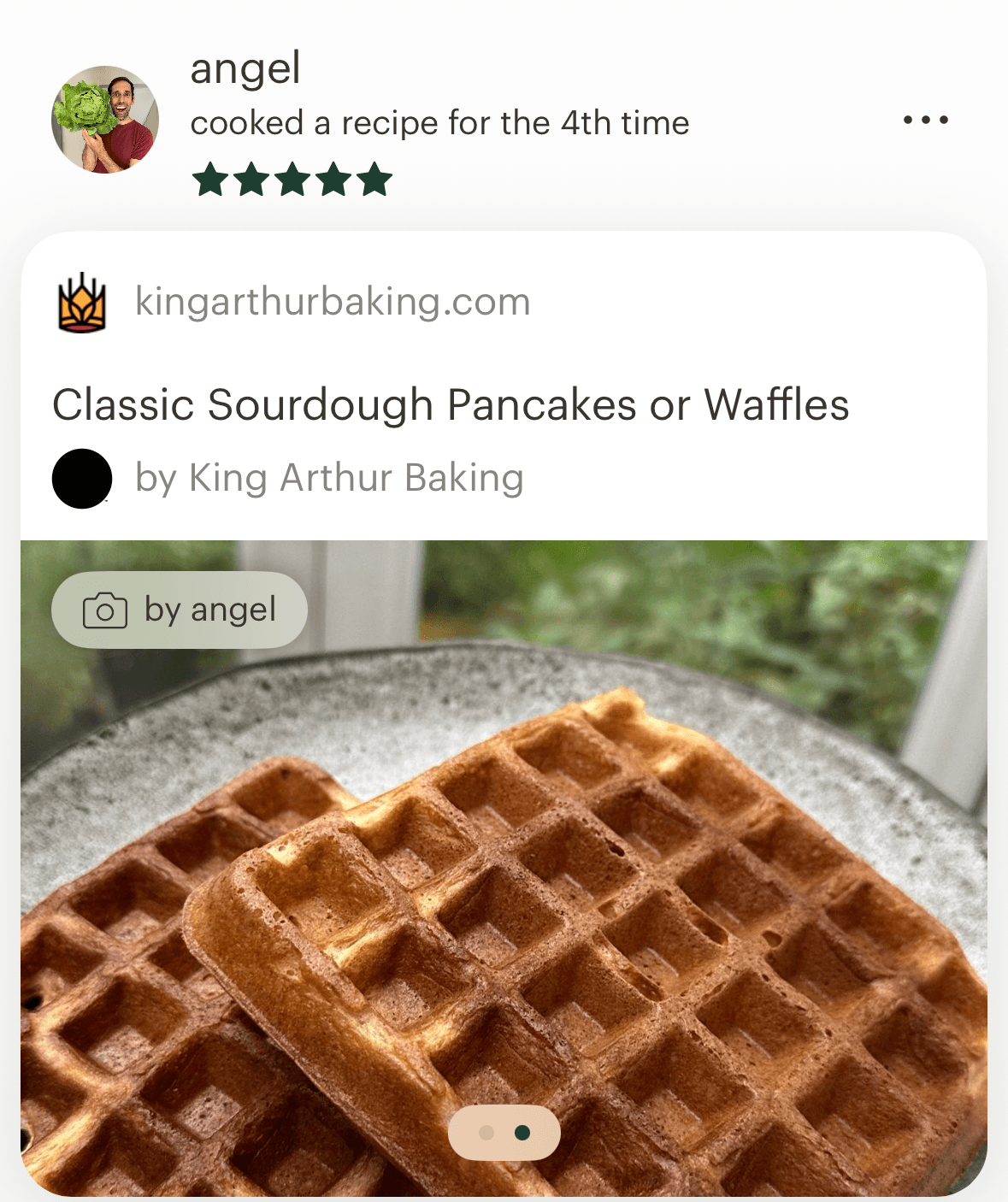
Here's where it gets fun: when you create a post after cooking a recipe, you can now attach photos directly to that post. Those photos automatically get added to the recipe too, creating a visual timeline of every time you have made that dish. It's a simple and fun way to remember the great (and not so great) meals.
Tell Us What You Think
As always, we love feedback—it's what helps us improve Deglaze and build features that actually matter to home cooks.
Email us at help@deglaze.app or head over to our subreddit. We read everything and genuinely appreciate hearing from you.
Happy cooking! 🍳