
Deglaze Update: Now We Look Inside Your Recipe Videos
Jacob Edelstein · April 20, 2026
Recipe videos on social media rarely give you the recipe neatly. The caption says "save this!!" instead of the ingredient list. The creator doesn't speak — they drop text overlays on screen and let the sizzle do the talking. Or they toss in a handful of garlic without mentioning it at all.
Up until now, Deglaze could import recipes from video by reading the caption and transcribing the audio. That works for a lot of creators, but it leaves a big gap. Silent reels with text overlays. TikToks where the measurements flash on screen for half a second. YouTube cooking videos where the host shows the ingredient but never names it out loud.
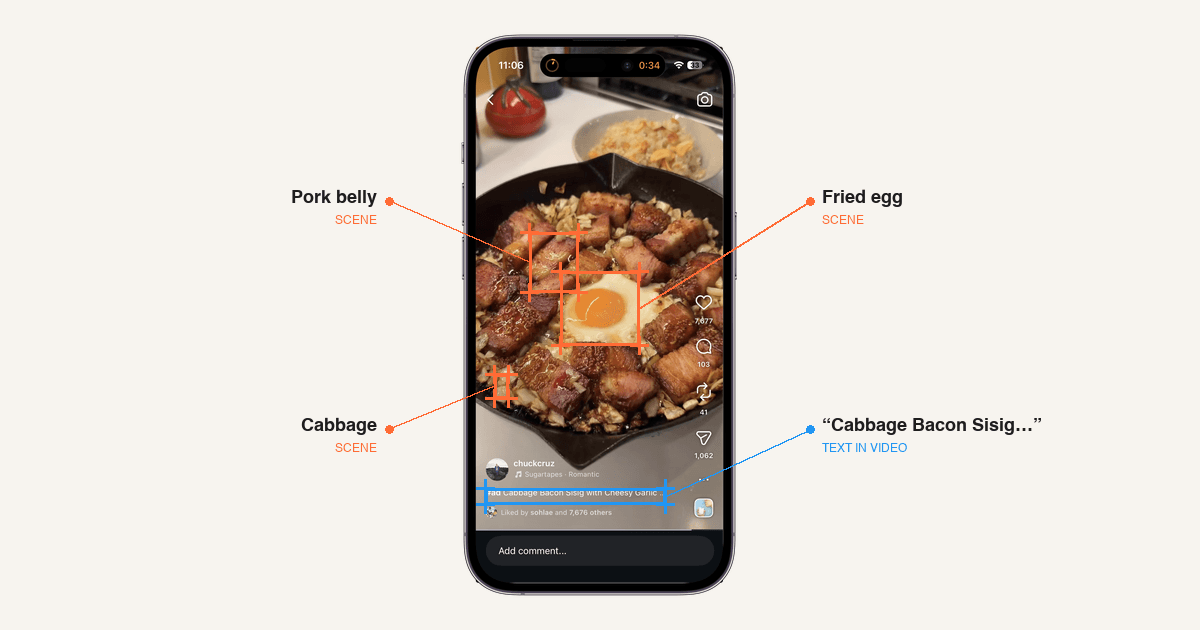
With our latest release, we now look inside the video itself. Deglaze reads the on-screen text and analyzes the scenes — so when you save a recipe from Instagram, TikTok, YouTube, Facebook, or Pinterest, we pull from every signal the video gives us.
Four Ways We Read a Recipe Video
When you share a video to Deglaze, four things happen at once:
- Caption — we parse the description or post text for ingredient lists, measurements, and instructions.
- Audio — we transcribe what's actually being said, which is often where the real recipe lives.
- Text in Video — we now read text overlays, title cards, and on-screen measurements — the words the creator puts on top of the video.
- Scene Understanding — we now describe what's actually happening in each shot: what's being added to the pan, what tools are in use, what the finished dish looks like.
All four signals get combined and reconciled by our AI to produce a single clean recipe — ingredients, quantities, and instructions — without you having to type a thing.
Reading the Text On Screen
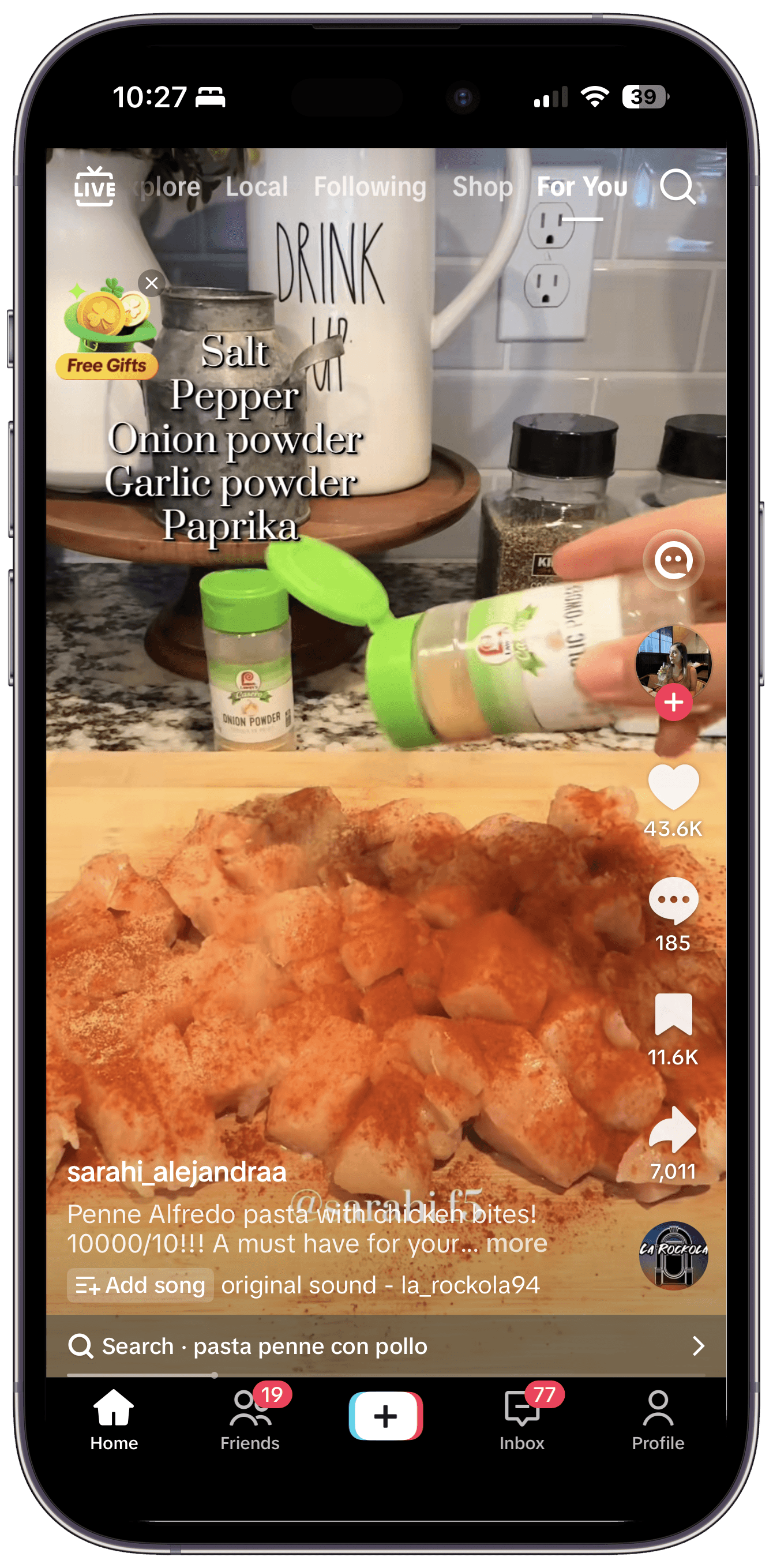
Creators often put ingredient names, measurements, and step labels directly onto the video — especially on Instagram Reels and TikTok. The image here is a typical example: text overlays that flash on and off as the creator moves through the recipe.
Deglaze reads every frame, so as long as text is on screen for roughly half a second, it gets captured. Detection works across a wide range of fonts, sizes, and placements — stylized handwritten captions, bold ingredient cards, overlays at the top of the frame, the bottom, or floating over the dish itself.
For creators who rely on overlays instead of voiceover, that's the difference between a clean import and a half-empty recipe.
What Scene Understanding Actually Sees
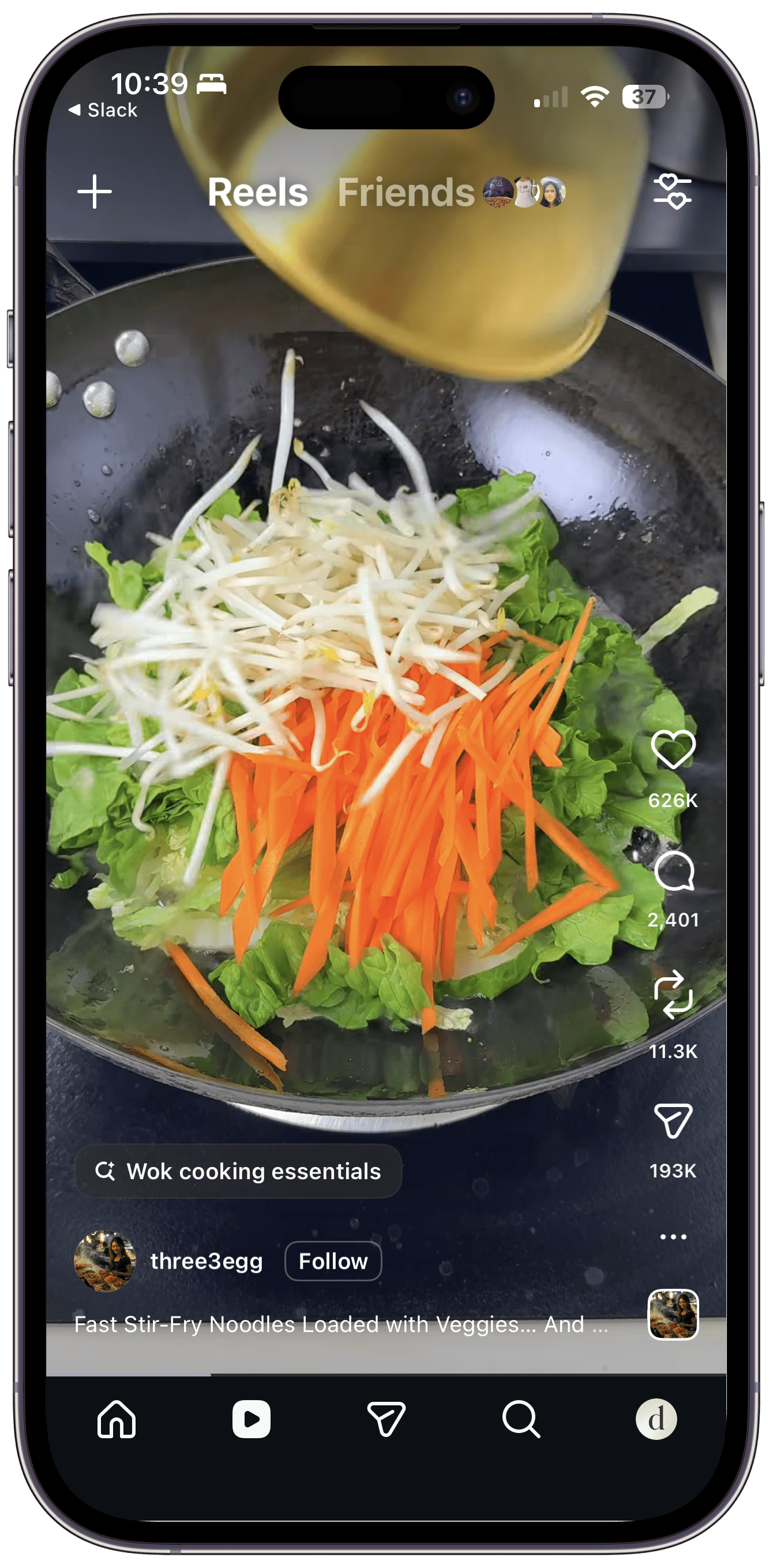
For the silent-sizzle school of food content — where the cook never says what they're doing and never writes it down — scene understanding fills in the blanks.
Imagine a silent 45-second reel with no caption worth parsing and no spoken words. The video cuts between shots like this:
- A hand sprinkles coarse salt onto a raw chicken thigh resting on a sheet pan.
- The thigh goes skin-down into a hot cast iron with a visible pool of olive oil.
- Later, a ladle pours chicken stock into the pan around the browned thigh, with sprigs of thyme floating in the liquid.
- The pan goes into an oven; a finished shot shows the chicken on a plate with pan juices spooned over.
Without scene understanding, that import comes back nearly empty — there's nothing to transcribe and no caption to parse. With it, Deglaze pulls out the ingredients it can see (chicken thighs, salt, olive oil, chicken stock, fresh thyme), the tools (cast iron, oven), and the technique sequence (season, sear skin-side down, braise with stock and thyme, roast, plate with pan juices). That's a workable recipe — from a video that said literally nothing.
We're always more confident in what a creator states explicitly than in what we infer visually, so scene-derived details get reconciled against the caption and audio when those are available. When they're not, scene understanding is the difference between an import that works and one that doesn't.
How Deglaze Compares
Here's how the import pipeline stacks up against other popular recipe apps:
| Source Signal | Deglaze | ReciMe | Paprika |
|---|---|---|---|
| Caption | ✅ | ✅ | ❌ |
| Audio | ✅ | ✅ | ❌ |
| Text in Video | ✅ | ❌ | ❌ |
| Scene Understanding | ✅ | ❌ | ❌ |
Paprika doesn't support video imports from social platforms at all. ReciMe reads the caption and audio but stops there. Deglaze is the only one of the three that also reads the text layered onto the video and the content of the scenes themselves.
The practical difference: if a creator posts a silent recipe reel with ingredients in text overlays and no audio, ReciMe and Paprika will get almost nothing. Deglaze will pull out a complete recipe.
Where This Works
Text-in-video and scene understanding are available when you save from:
- Instagram (posts and Instagram Reels)
- TikTok
- YouTube (including Shorts)
- Facebook Reels (and videos)
We run text detection and scene understanding on videos up to 10 minutes long. For longer videos — a 40-minute YouTube cooking walkthrough, say — caption and audio still work, so you're not locked out; you just won't get the in-frame text and scene data for the extra length.
We Stay True to the Source
One thing we've been careful about: the goal is to capture the recipe that the creator actually made, not to invent a new one. Our AI is tuned to prefer what's stated in the caption, heard in the audio, and shown on screen — in that order of directness — and to flag uncertainty instead of filling in plausible-sounding guesses.
If a creator uses "a glug" of olive oil, we won't silently convert that to two tablespoons. If a quantity never appears anywhere in the video, we leave it vague rather than fabricate one. You can always edit the recipe after import, but we'd rather hand you something accurate than something polished-but-wrong.
Try It Today
Text-in-video and scene understanding are available to all Deglaze users now. If you've got a recipe creator you follow who works mostly in text overlays or silent cooking shots, this is the update that finally makes their content importable.
Download Deglaze for iPhone, iPad, or Android. New users get a free trial of Deglaze Pro — including unlimited imports, meal planning, smart grocery lists, recipe scaling, and inline ingredients.
Got a video that didn't import well? Use the "Report a Recipe Issue" option on the recipe in the app — it sends us the source video along with the import so we can tune the model against the exact failure. (For general feedback, we're still at help@deglaze.app.)