
Meet Your Cooking History: Everything You've Cooked, in One Place
Angel Azcarraga · July 13, 2026
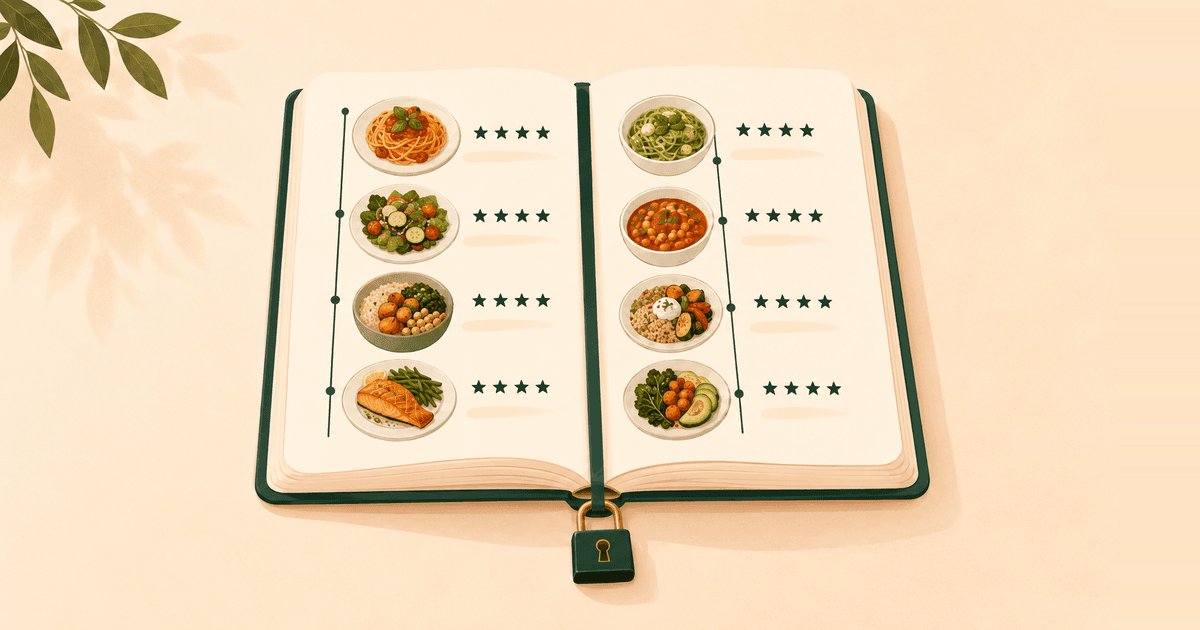
Some of your best meals left no trace. You cooked, you ate, maybe you even rated the recipe on the way out of Cooking Mode — and unless you chose to post it, that session just evaporated. Meanwhile, the question "wait, when did I last make this?" kept coming up with no good answer.
This release fixes that. Your profile now keeps your cooking history — everything you've ever cooked, in one place — and you decide exactly who sees any of it. It's also the foundation for what's next: upcoming AI-powered features will plan meals, create recipes, and more, using your cooking history as context.
Your cooking history, now on your profile
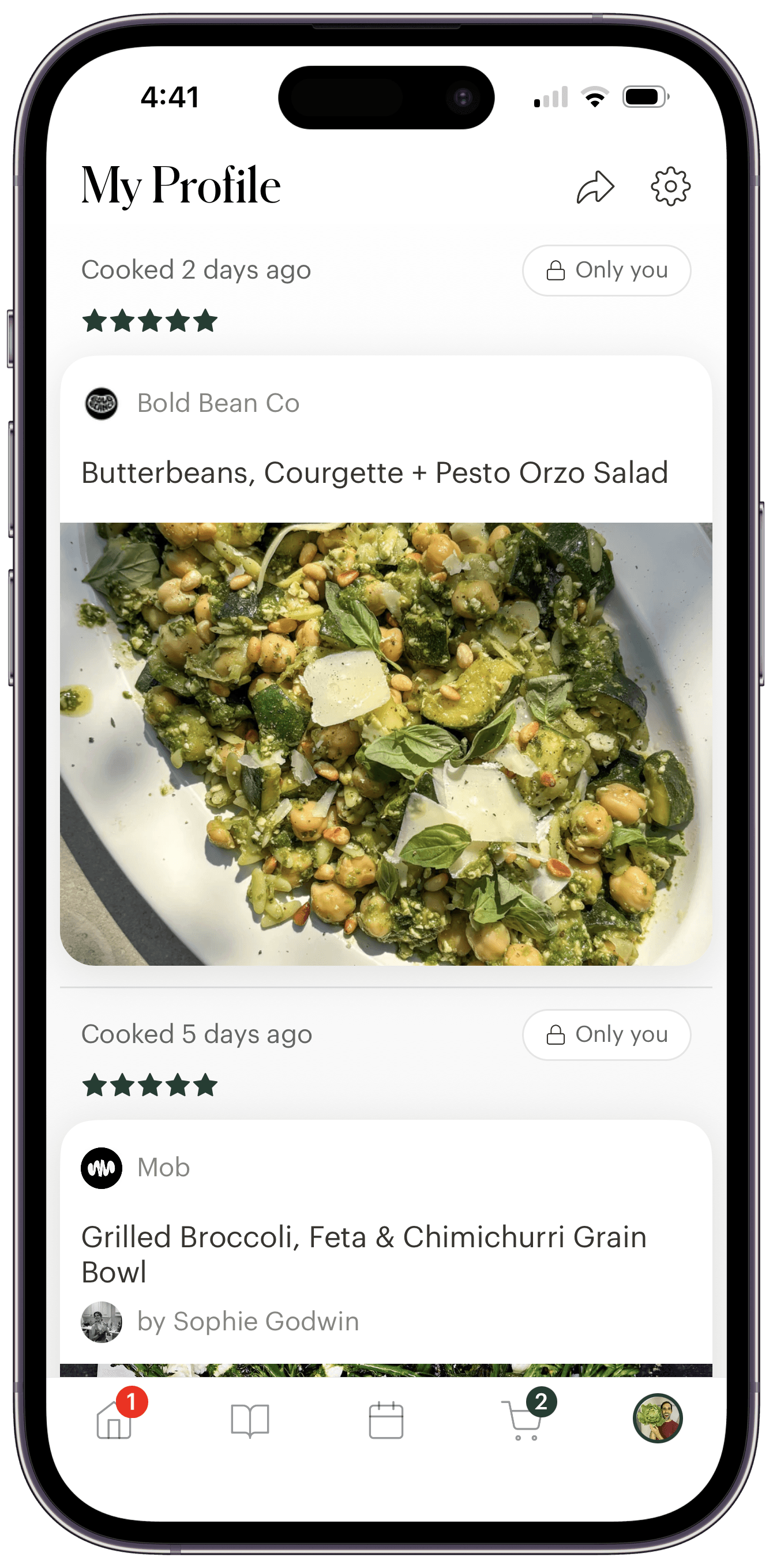
Open your own profile and you'll find a single, time-ordered cooking log of everything you've made: the posts you shared, interleaved with a private entry for every cooking session you finished but never posted.
Private cooks look deliberately different from posts. Each one is a quiet little card: a date header ("Cooked on May 13," or "Cooked 2 days ago" for recent ones), your star rating if you gave one, the recipe — tap it to open it — and an Only you chip with a lock. No likes, no comments, no username, because it isn't a post. It's a personal record.
Best of all, it works retroactively. Every cooking session you've ever finished is already there — nothing to migrate, no setting to turn on. The Cooks count at the top of your profile is this history; tap it to jump straight there. It works the same on your phone and on the Deglaze web app.
Those upcoming AI features will only be as smart as the history they can read — so keep marking those cooks.
Mark it cooked. Post it if you feel like it.
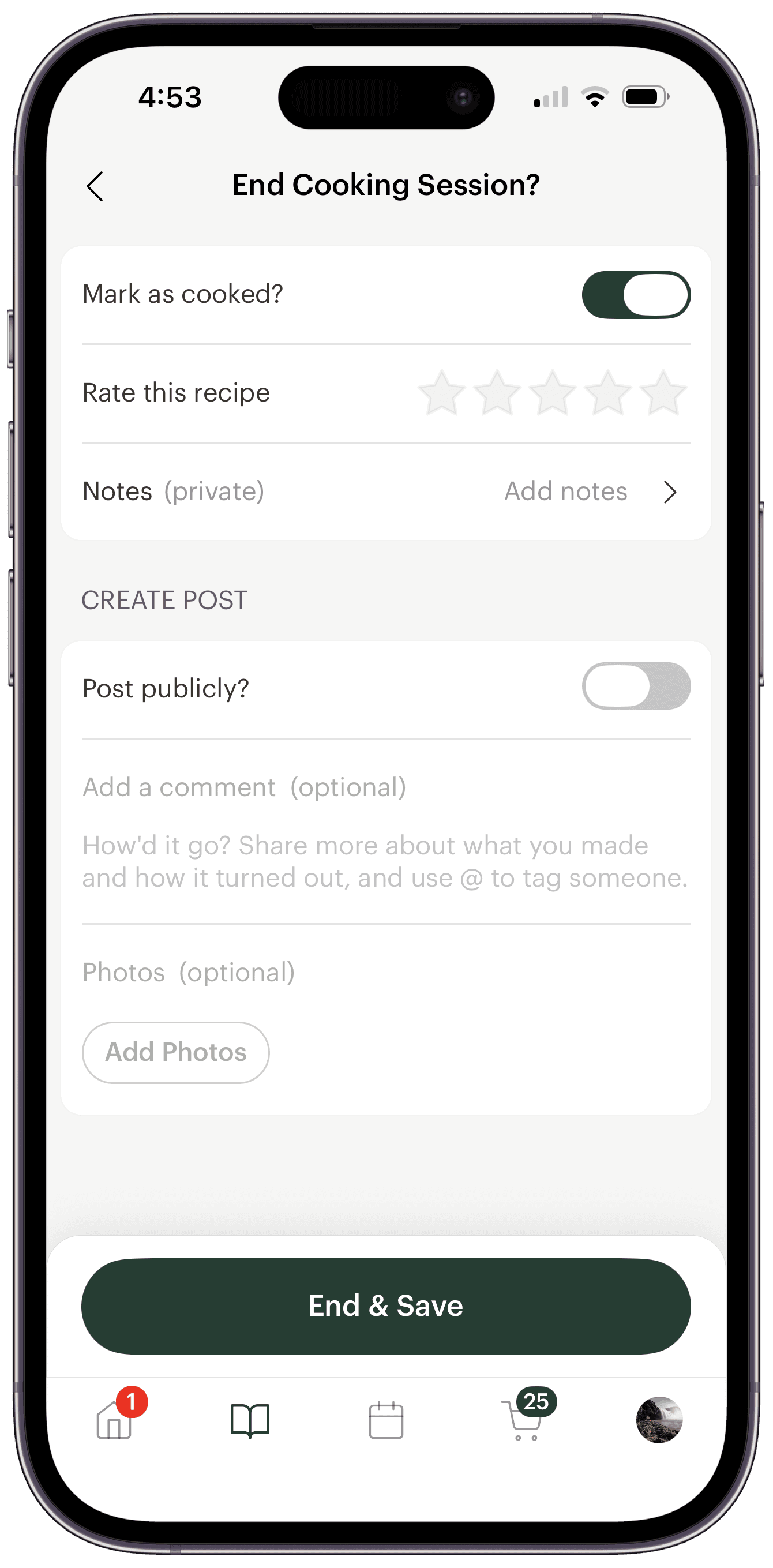
Nothing about capturing a cook has changed — if you've been ending cooking sessions with Mark as cooked switched on, your history has been quietly accumulating all along. When you finish a recipe in Cooking Mode, the end-of-session screen asks two separate questions:
- Mark as cooked? — on by default when you're signed in. Saves the cook with its date and an optional star rating.
- Post publicly? — always an explicit opt-in. Shares the cook to your profile and your followers' feeds as a post, where you can also attach photos of your cooking wins (or failures).
You can't post without saving the cook — a post is just a cook you decided to show people. And if you did share one, it appears in your history once, as that post.
Never used Cooking Mode? Your history starts with tonight's dinner: open any recipe in your library and tap Cooking Mode.
A few honest notes on this first version: private cook entries are read-only for now — you can't edit or delete one, retroactively turn a cook into a post, or attach photos to a private cook (photos ride along with public posts only).
Who can see my cooking history?
You, and only you — that's the whole point. Your profile now has two layers. Your cooking history is the private layer: every cook you didn't post is visible to no one else — there's no version of your profile that shows it to anyone but you, and no setting that changes that. Your posts are the social layer: the cooks you chose to share, visible to anyone who visits your profile.
But maybe "anyone" is a bigger audience than you want. Plenty of cooks are happy to share dinner with friends and family — just not with the entire internet. Until now, the only options were post to everyone or post to no one.
Private profiles are here: you approve every follower
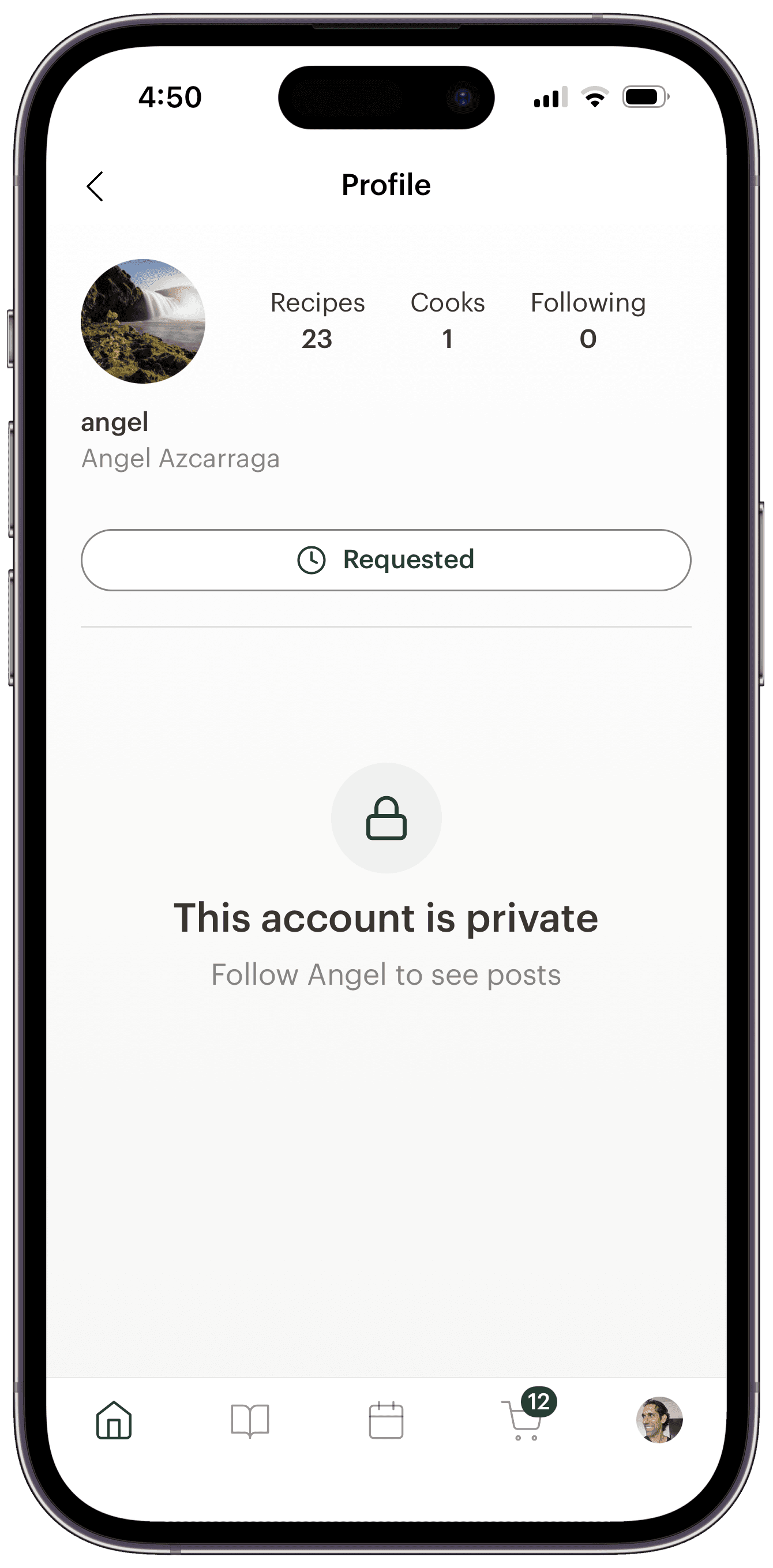
Private profiles close that gap. Flip the Private account switch at the bottom of Edit profile — on mobile or the web — and from that moment, only followers you approve can see your posts and who you follow. If you've used a private account on Instagram, you already know how this works.
Your profile doesn't disappear. People can still find you by name or username, and visitors still see your photo, bio, links, and counts. But in place of your posts, non-followers get a lock icon and a "This account is private" notice inviting them to follow you to see your posts. Your posts also leave Deglaze's public and explore feeds, and a direct link to one of your posts redirects non-followers to your locked profile instead.
One deliberate exception: a recipe link you send someone still opens for anyone — sharing a recipe is your intentional act, and going private never breaks it. The privacy switch covers your social presence (your posts and who you follow), not the recipes you share.
Want the tap-by-tap version, with screenshots? See how to make your Deglaze profile private.
Follow requests, and the tools around them
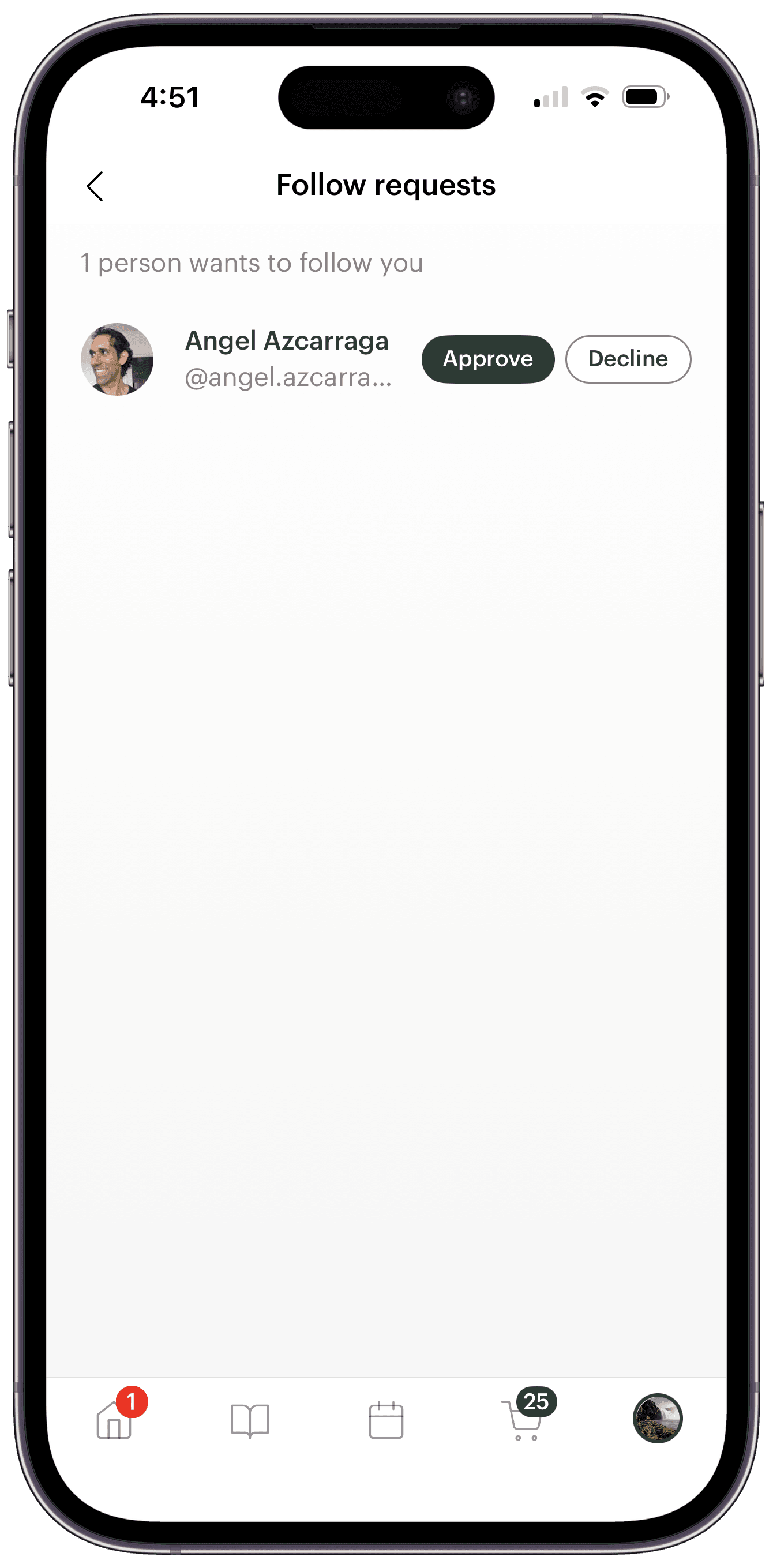
On a private account, the Follow button becomes Request. New requests reach you in three places: right on the push notification — approve or decline without opening the app — in a Follow requests card that appears on your profile whenever requests are pending, and in a full requests list with per-person Approve and Decline buttons.
Approving someone makes them a follower and fills their feed with your recent posts. Declining is silent — they're never notified.
Changed your mind about an existing follower? Every row in your followers list now has a Remove button. Removal is silent too: your posts quietly leave their feed, and they're free to request again later.
Switching is low-stakes in both directions. Going private keeps all your current followers — with a prompt offering to review the list — and going public (after a confirmation) auto-approves any pending requests. There's no blocking, muting, or per-post visibility yet; it's one account-level switch, and it takes effect immediately.
Make sure you're on app version 9.0.0 or later to send follow requests.
Try cooking history and private profiles today
However you cook and share, the pieces now fit together: cook without posting, and it stays between you and your profile. Post publicly, and anyone can follow along. Go private, and your posts reach only the followers you've approved.
Both features are live now for all Deglaze users, on iPhone, iPad, Android, and the web. Your cooking history is already on your profile waiting for you.
Download Deglaze and start keeping track of what you cook.
Gone private? Rediscovered a dinner you forgot you'd made? Tell us how these features fit your kitchen at help@deglaze.app — we read everything.