
Your Meal Plan, Now on Your Calendar
Angel Azcarraga · June 22, 2026
You did the work. You planned the week in Deglaze — Tuesday's stir-fry, Thursday's curry, something easy for the weekend. But the plan lives in Deglaze, and your actual life runs on the calendar you check twenty times a day: work, school pickup, the dentist at 4. So "what's for dinner?" stays a separate question you have to remember to go look up.
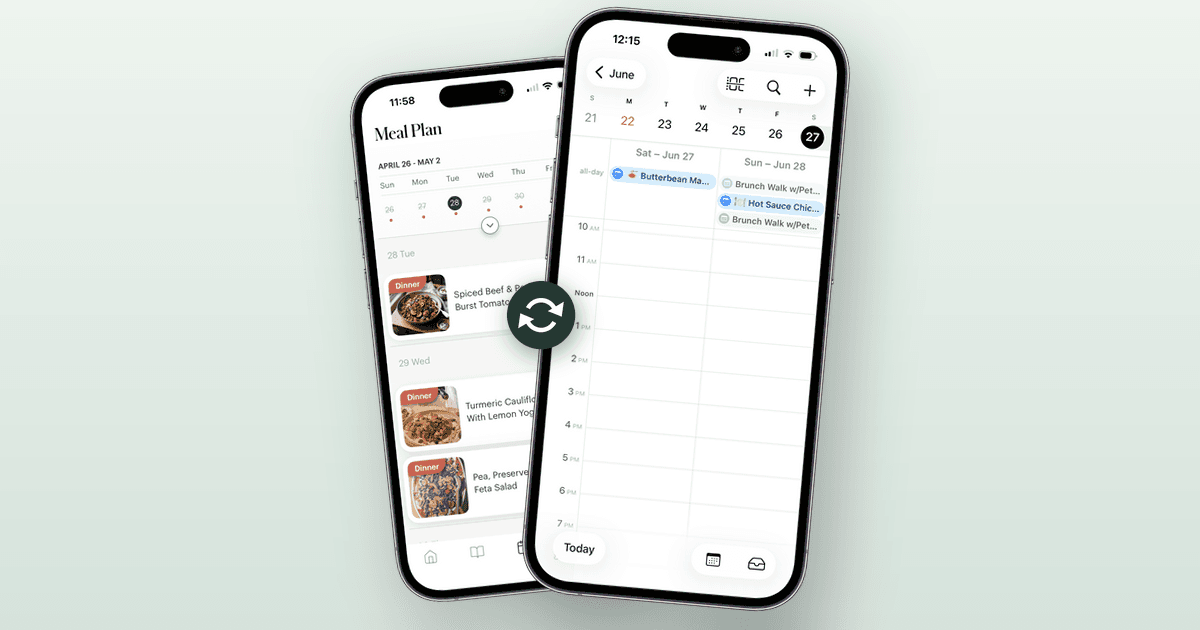
Calendar sync closes that gap. Subscribe once and your planned meals show up right in Apple Calendar, Google Calendar, or Outlook — sitting next to the 6pm meeting and soccer practice, where you'll actually see them.
Turn it on in a couple of taps
Open your Meal Plan and tap the calendar-sync icon — the little calendar with arrows — in the top corner. You'll get a private link to your plan that any calendar can subscribe to.
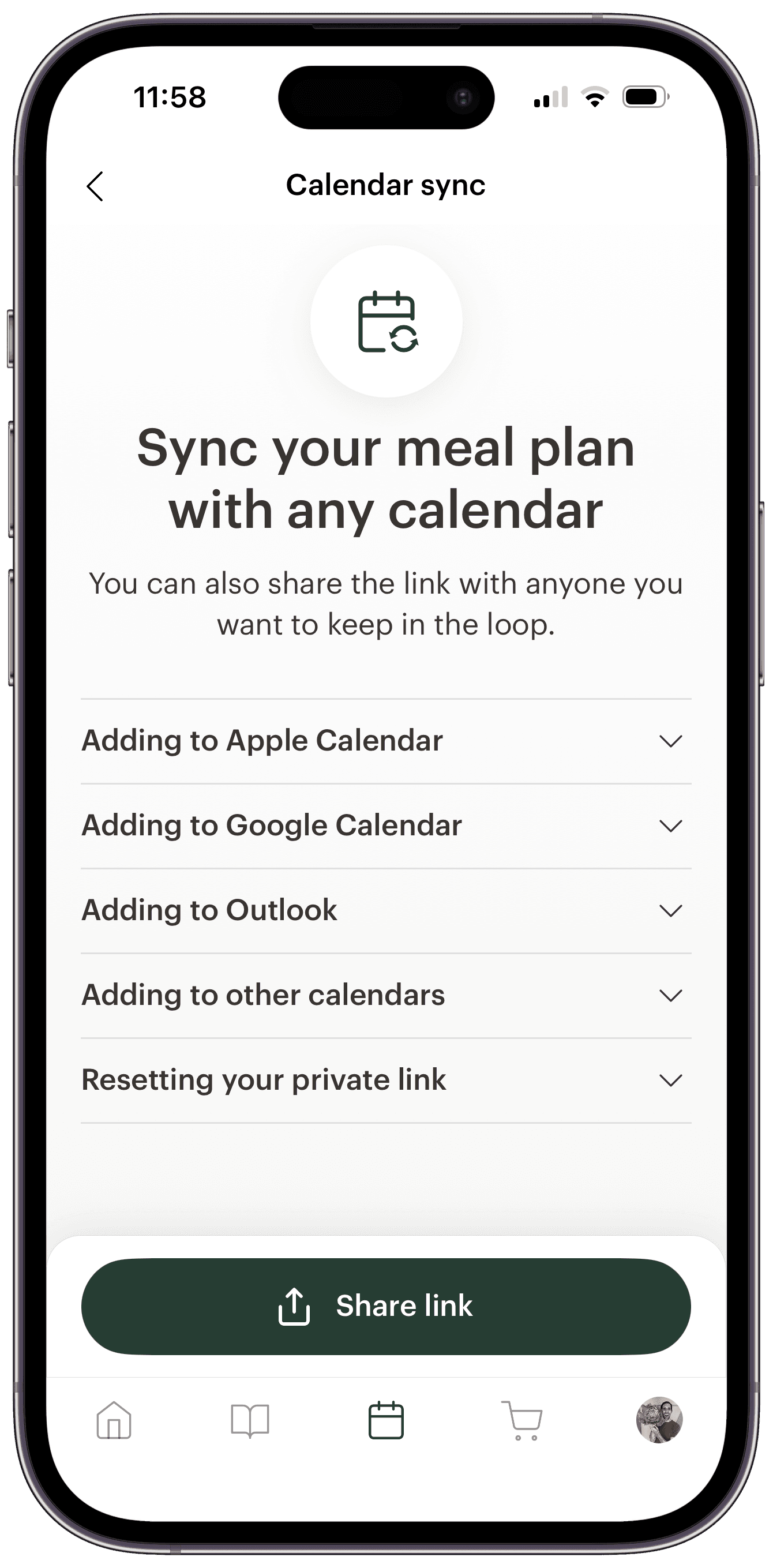
On an iPhone, iPad, or Mac, one tap subscribes you in Apple Calendar. For Google Calendar, Outlook, or anything else that takes a calendar link, copy the link and add it as a subscription — Deglaze walks you through each one. Because it's a subscribed link and not a one-time export, you set it up once and never touch it again.
It's your plan, but it's shareable too: hand the link to a partner or whoever's cooking and they can follow along from their own calendar without ever opening Deglaze.
Your dinners, right next to the rest of your day
Once you're subscribed, every planned meal becomes an event on the day it's scheduled, labeled with the meal — breakfast, lunch, dinner, or snack. They blend into your week alongside everything else you've got going on, so dinner is part of the plan instead of a 6pm surprise.
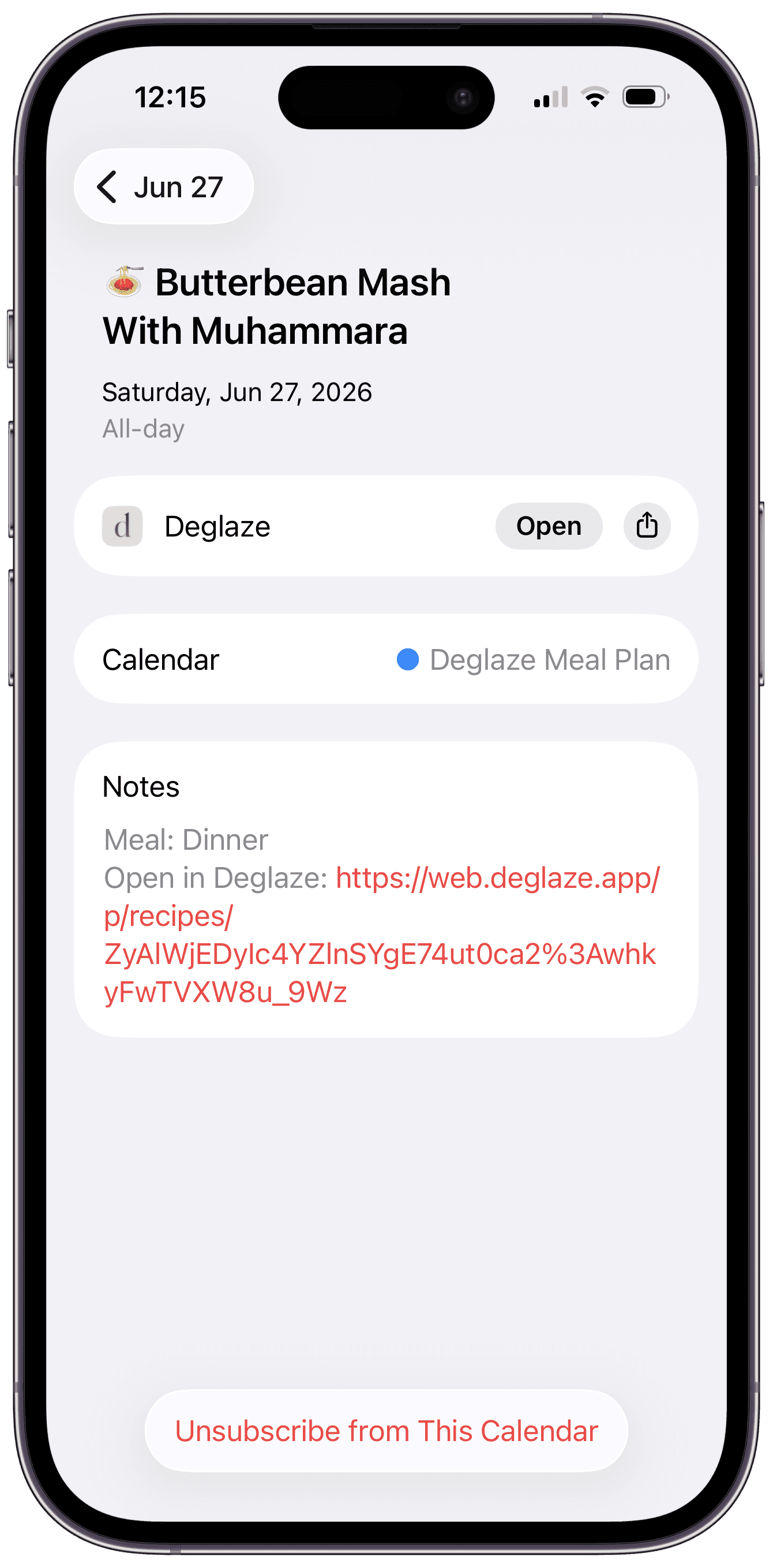
And the meals aren't dead text. Tap one and you'll find an Open in Deglaze link that jumps straight to the recipe — so the moment you think "right, tonight's the curry," you're one tap from the ingredients and cooking mode. Calendar to cutting board, no searching.
Change the plan, and your calendar follows
Meal plans move around — Wednesday's dinner slides to Friday, something gets swapped, a night turns into leftovers. Edit your plan in Deglaze (or rearrange the week with drag-and-drop in the web app) and your subscribed calendar updates on its own. Apple refreshes quickly; Google checks subscribed calendars once or twice a day, so give it a little while to catch up.
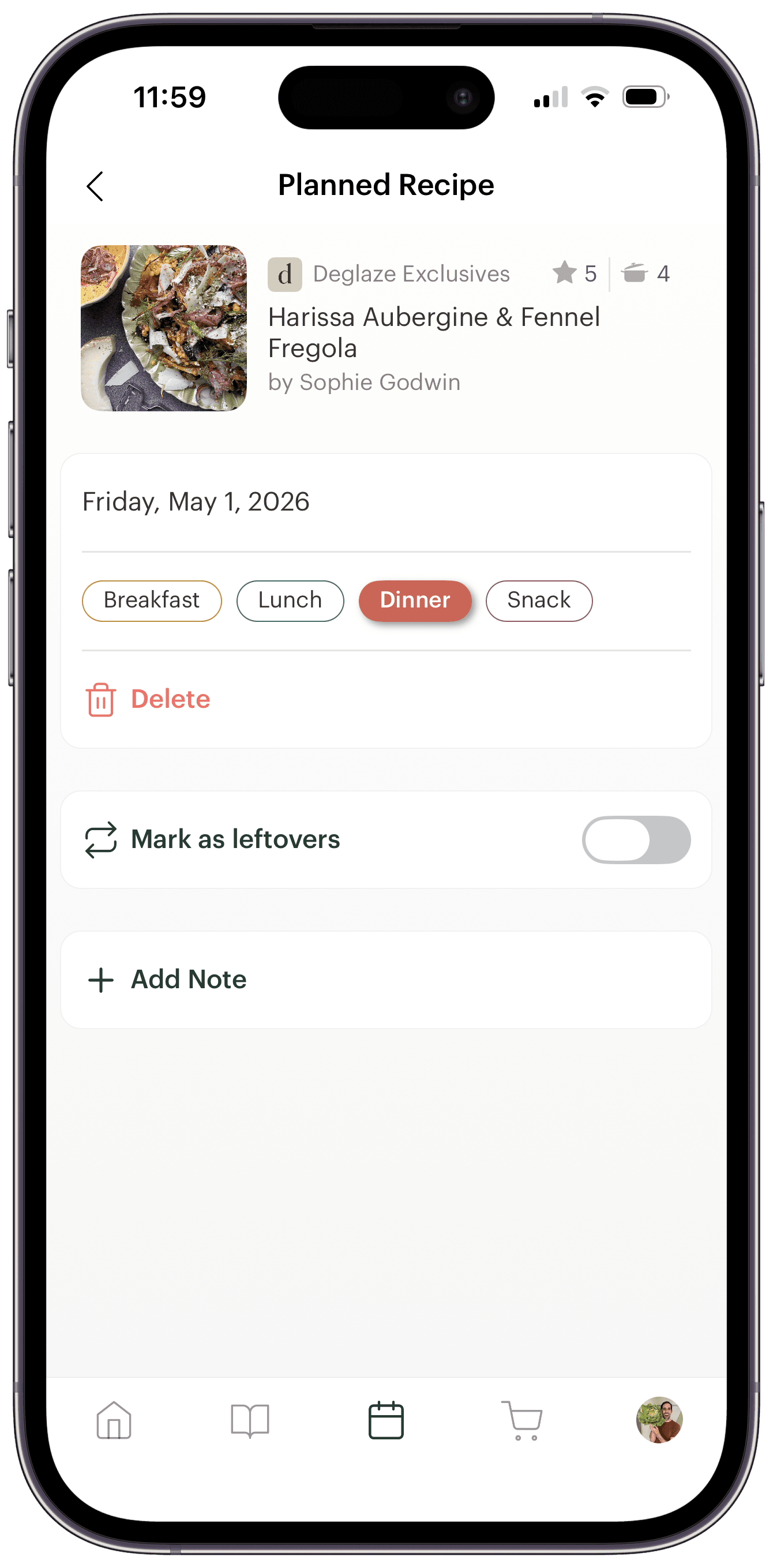
Whatever you set on a planned meal rides along — the meal type, leftover nights, the note you left yourself. It's the same plan you already keep in Deglaze's calendar-based meal planner, just visible everywhere you already look.
Part of Deglaze Pro
Calendar sync comes with the Deglaze Pro meal planner, alongside unlimited recipe imports, smart aisle-categorized grocery lists, grocery items you can tag and filter by store, recipe scaling, and inline ingredients. New users get a free trial of Pro — long enough to plan a week and watch it show up in your calendar.
Download Deglaze for iPhone, iPad, or Android.
Already living out of your calendar? Subscribe your meal plan and tell us how it fits your week — the good and the rough edges — at help@deglaze.app.