
How to Organize Recipes: The Complete Guide to Finding What You Want to Cook
Jacob Edelstein · February 7, 2026
Maybe you've been saving recipes for years—scattered across browser bookmarks, Pinterest boards, Instagram saves, and photos in your camera roll. Or maybe you're just starting to build a recipe collection and want to avoid the chaos from the beginning.
Either way, Sunday evening rolls around and you need to figure out what's for dinner this week. If you have hundreds of saved recipes, good luck finding that chicken dish you made last month. If you're just starting out, you're probably wondering how to save and organize recipes so you don't end up in that situation.
This is the challenge with recipe collections: without a good system to organize recipes from the start, they either become overwhelming or you never build one at all. The key is having an organization system that works effortlessly—whether you're importing your first recipe or your five hundredth.
That's exactly why we built Deglaze's organization system the way we did. After surveying dozens of recipe apps and meal planning apps, we're confident we've created the most comprehensive recipe organization system available. Here's how it works.
Why Recipe Organization Actually Matters
Having all of your favorite recipes in your pocket fundamentally changes how you cook. When your recipes are organized and searchable, everything becomes easier:
Meal planning takes minutes instead of hours. You can quickly browse your collection for weeknight-friendly options, filter by cooking time, or see what you haven't made in a while.
Grocery shopping becomes more efficient. When you can easily find and add recipes to your grocery list app, you're more likely to plan ahead instead of resorting to takeout.
Cooking confidence grows naturally. You'll try more new recipes when you can see at a glance which ones are highly rated or similar to dishes you've made before.
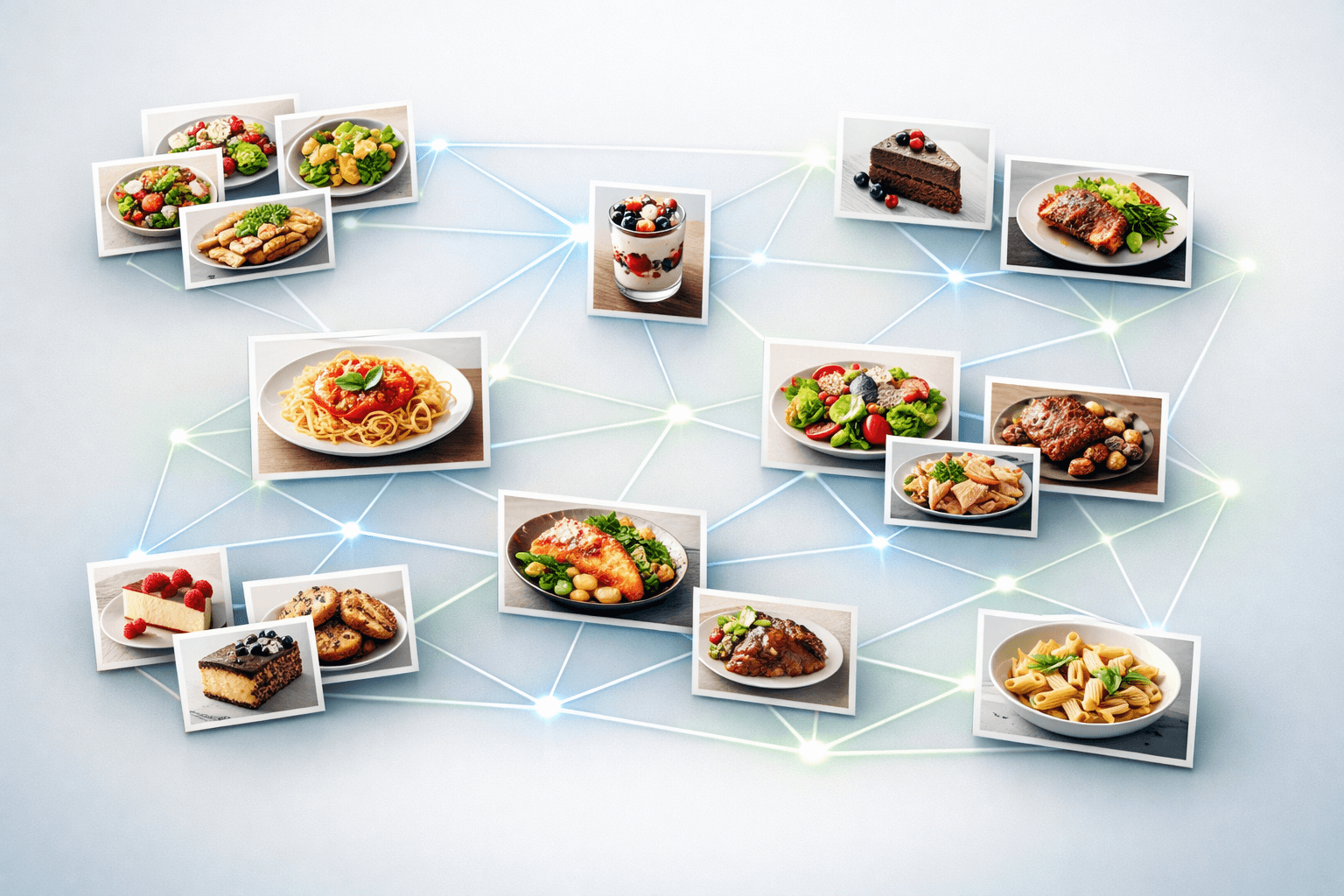
The key is having a system that works for how you actually cook—not one that requires constant maintenance or makes you scroll through hundreds of recipes to find what you need. It helps that Deglaze can show your library as a grid of recipe photos rather than a list of rows, which is far quicker to scan when you half-remember what a dish looked like.
The impact of good recipe organization goes beyond convenience. In a 2025 survey of 358 Deglaze users, 68% said that having their recipes easily accessible and organized resulted in them cooking more often, and 72% said it resulted in them enjoying cooking more. When you can actually find and use your saved recipes, they stop being a collection you ignore and start being a tool that genuinely improves your cooking life.
Effortless Organization with AI-Powered Tags
Here's something that sets Deglaze apart from other recipe apps: you get basic organization automatically, without doing any work.
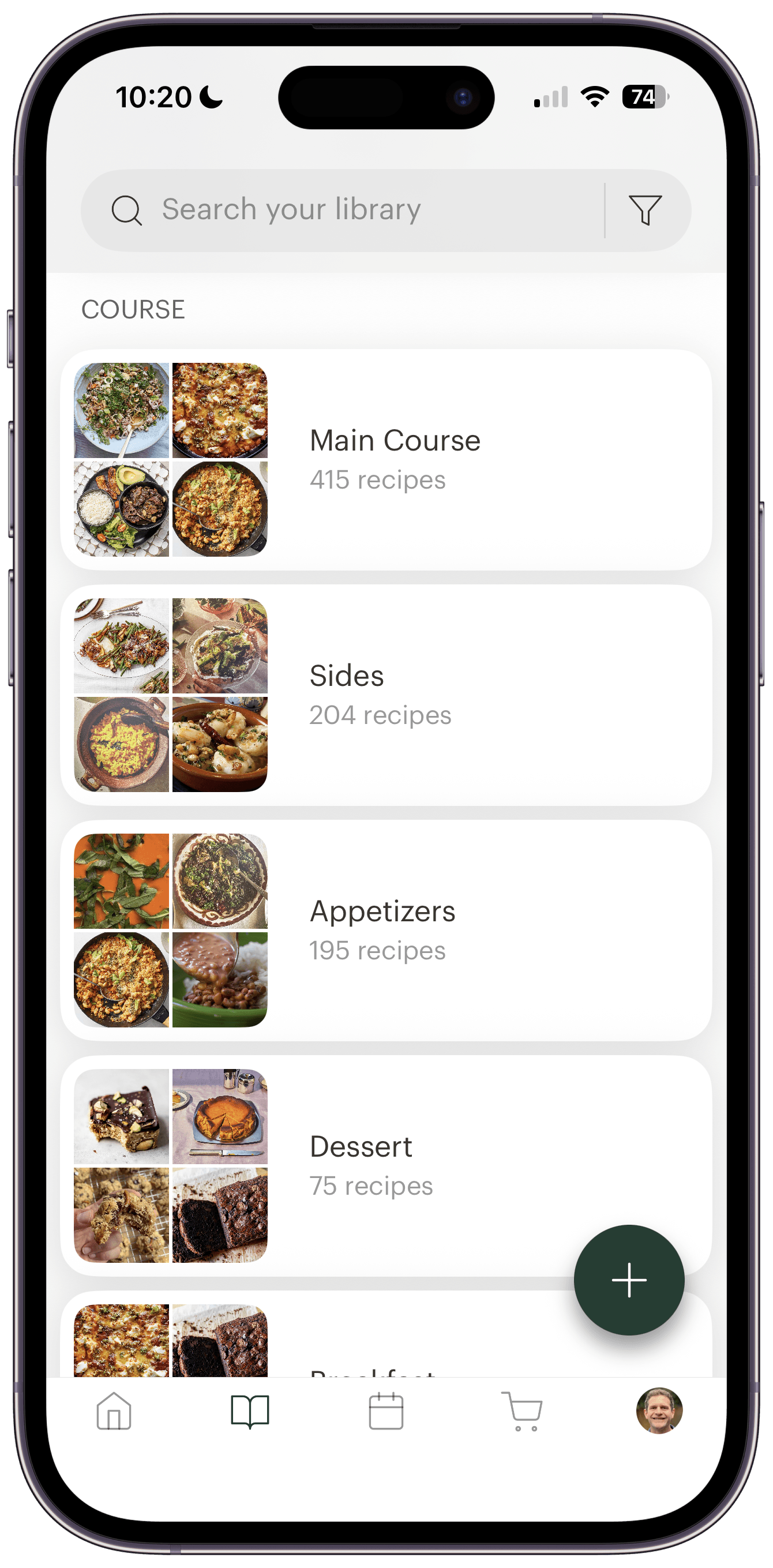
When you save a recipe to Deglaze—whether from a website, social media, or by importing photos from a cookbook—AI automatically tags it based on:
- Course: Main dishes, sides, appetizers, desserts, breakfast
- Type: Salad, pasta/noodles, rice, soup, beans/lentils, seafood, baked goods, beverages, and more
- Dietary preferences: Vegetarian, vegan, and other dietary categories
This automatic categorization is available to both free and Pro users—it's one of our core features. For many people, these AI-powered collections are all they need. You can browse your pasta recipes, see all your vegetarian mains, or quickly find dessert options without ever creating a custom collection.
And if you decide you don't want to use the AI collections? You can hide them. But they're one of the top features for our users, so we think you'll find them useful.
The Collections System: Folders That Actually Work
Beyond the automatic AI tags, Deglaze uses a collections system to help you organize recipes your way. Think of collections like folders, but better: a recipe can live in multiple collections at once.
This is crucial for how people actually think about food. That beef stew recipe might be a "Sunday Favorite," a "Braise," part of your "Fall Cooking" rotation, and something you'd make for "Dinner Parties." With traditional folders, you'd have to choose just one category. With Deglaze collections, you can have it all.
Creating collections is simple:
- Add recipes one at a time as you browse
- Add recipes to collections as you save them — pick collections right in the share sheet, before the recipe even lands in your library
- Use bulk add to quickly organize multiple recipes
- Name them whatever makes sense to you
There's no "right" way to use collections. Some people organize by cuisine, others by season or occasion. Many combine approaches. The flexibility is the point.
Your Recipe List: More Than Just Titles
You can view your recipe library two ways in Deglaze: as a list of recipes or as a list of collections. Most of the time, you'll be looking at the recipe list—either all of your recipes or a filtered view based on collections, search terms, or other criteria.
The default ordering for your recipe list is "smart," which uses a combination of when a recipe was added and the last time you viewed it. This means if you're browsing options for dinner this weekend, those recipes automatically bubble to the top the next time you open the app. No more wondering "where was that recipe I was just looking at?"
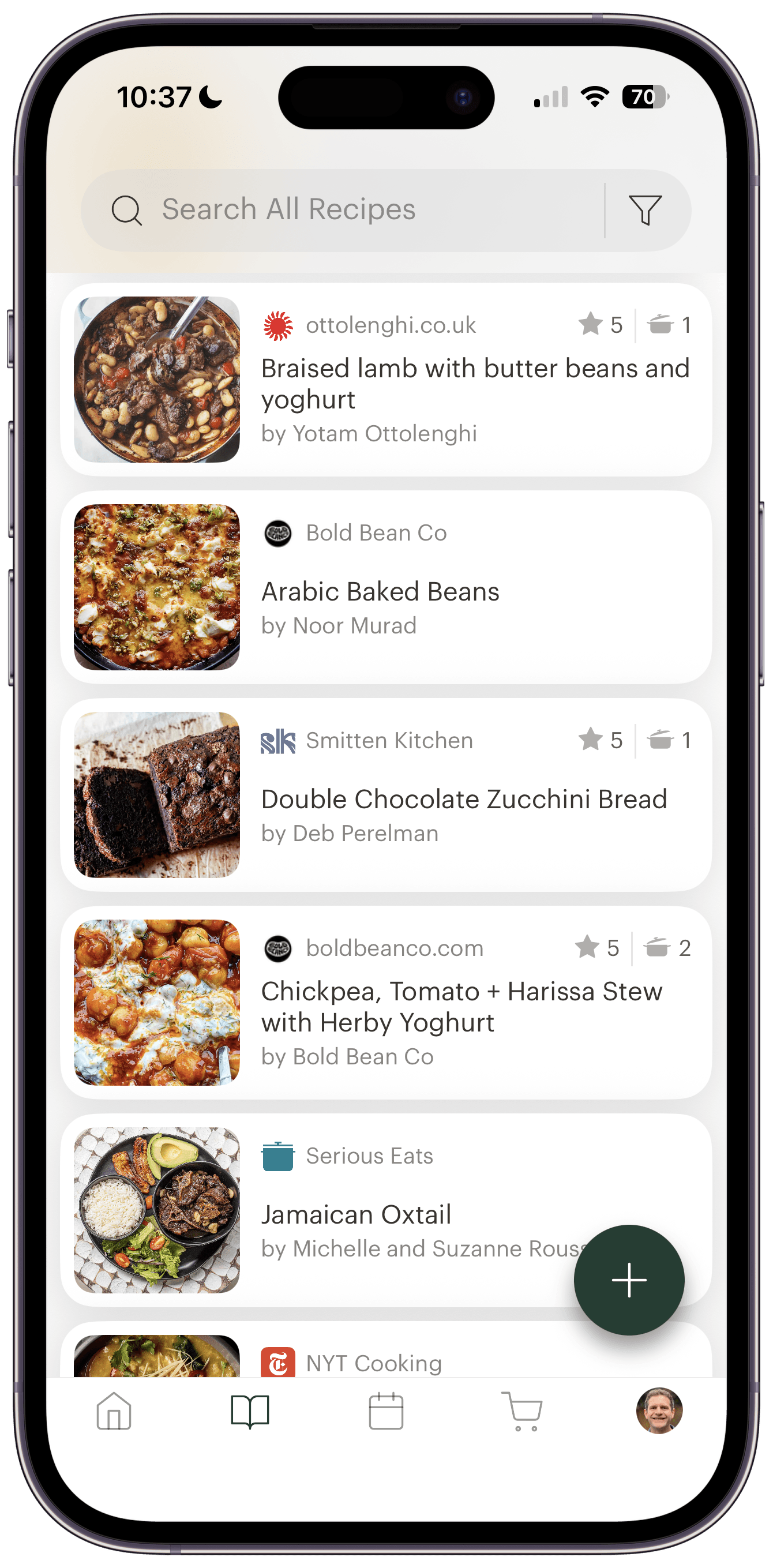
Each recipe in the list shows you helpful information at a glance:
- The recipe photo and title
- The author and source (website name, cookbook, etc.)
- How many times you've cooked it
- Your rating (1-5 stars), if you've rated it
This metadata makes it easy to spot old favorites (highly rated recipes you've cooked multiple times) or identify recipes you saved but never tried.
Smart Collections for Your Workflow
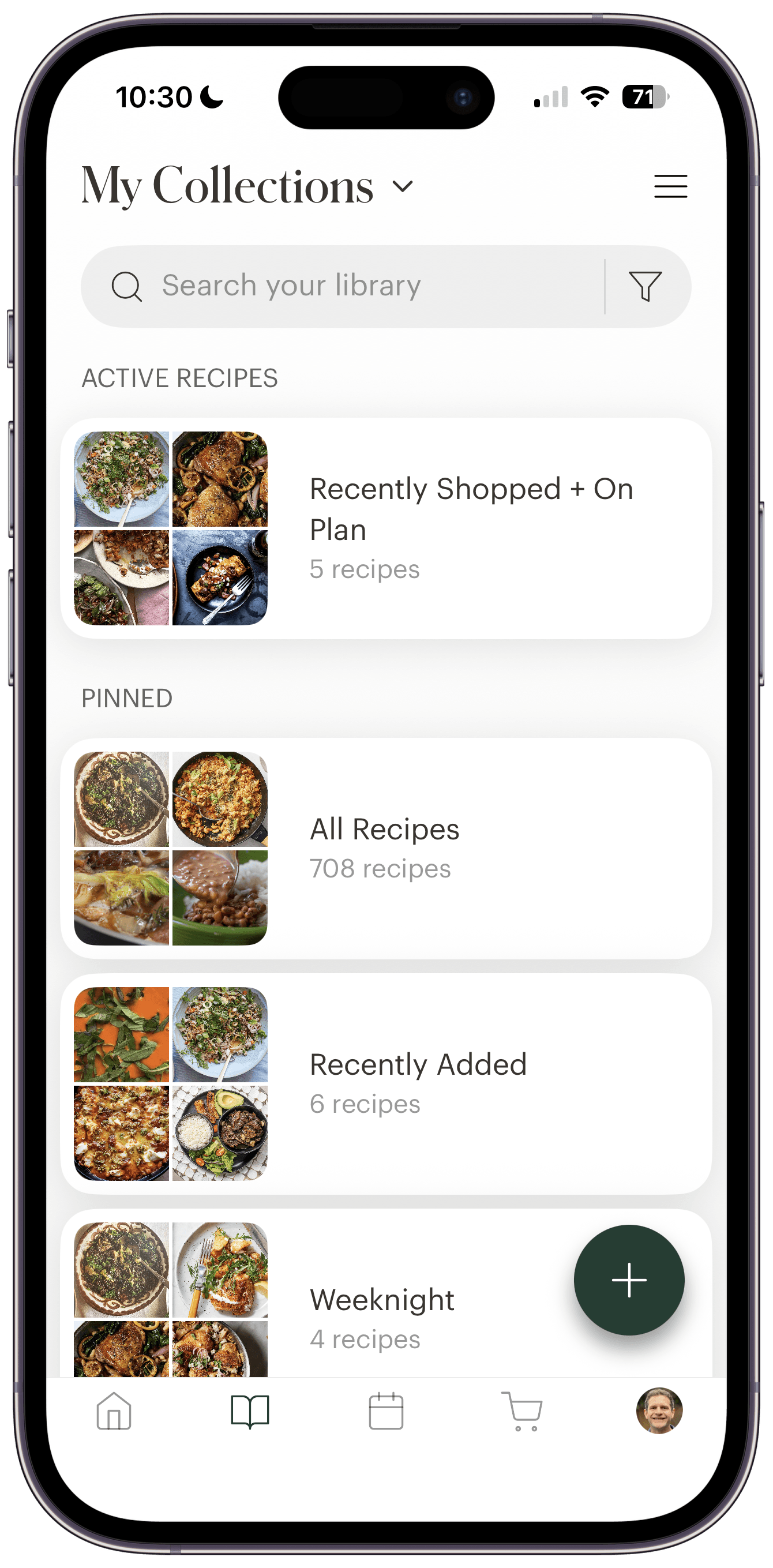
In addition to the AI-powered collections and your custom collections, Deglaze includes smart collections that update automatically based on your activity:
- On Meal Plan: See everything you've added to your meal planning calendar
- On Grocery List: Quick access to recipes currently on your shopping list
- Currently Cooking: Jump back to any recipe you have in an active cooking session
- Recently Added: Everything you've saved in the last 30 days — including a To Organize view that rounds up the saves you haven't filed into a collection yet
These collections are incredibly useful for staying organized when you're actively meal planning or cooking. Instead of hunting through your entire library, you can see exactly what you're working with right now.
Organizing Your Collections
As your collection library grows, Deglaze gives you tools to keep everything organized exactly how you want it:
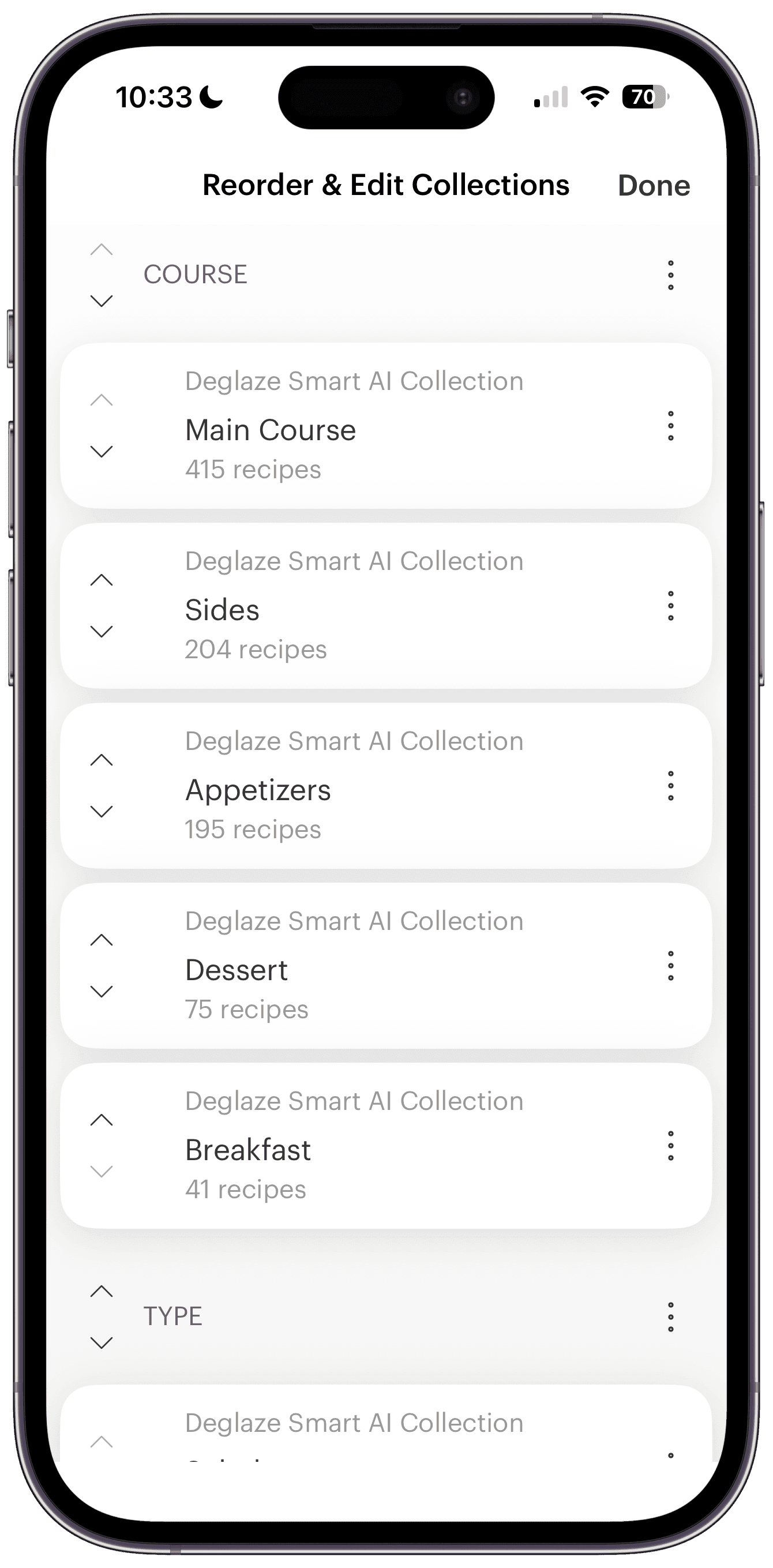
Reorder your collections by dragging them into the sequence that makes sense for your workflow. Put your most-used collections at the top for quick access.
Create sections to group related collections together. You might have a "Weeknight Meals" section with collections like "30-Minute Dinners" and "One-Pot Recipes," and a separate "Special Occasions" section for holiday and entertaining collections.
Household sharing means collections from people in your household appear in your app automatically. If your partner creates a "Dad's Favorites" collection, you'll see it too. But if you prefer to organize differently, you can hide their collections while still sharing the underlying recipes.
This level of customization means your recipe organizer works for you—whether you like everything perfectly categorized or prefer a simpler approach.
Powerful Search and Filters
Even with great organization, sometimes you need to narrow things down further. That's where Deglaze's search and filtering system comes in.
Search Everything
The search function covers:
- Recipe titles
- Ingredients (so you can find "recipes with chicken thighs")
- Authors
- Source (website name, cookbook title, etc.)
Search and filters work together, so you can search for "chicken" and then filter to show only recipes under an hour that you haven't cooked yet.
Smart Filtering
The filter screen is where the organization system really shines. You can select multiple filters simultaneously, and then search from the filtered view.
Available filters include:
- Collections: Filter to any of your custom collections or AI-powered tags
- Rating: Show only your 4- and 5-star recipes
- Cooked status: See only recipes you've made before (old favorites) or only recipes you haven't tried yet (for variety)
- Time: Filter to recipes under an hour for busy weeknights
- Who added it: If you share your recipe library with household members, filter to see just your recipes or theirs
This flexibility means you can answer questions like "What's a vegetarian main dish I haven't made in a while that takes less than an hour?" in seconds.
Getting Started with Deglaze
The best way to organize recipes is to actually start organizing them. Deglaze makes it easy to get all your favorite recipes in one place:
- Save recipes directly from your browser or social apps with two taps
- Import cookbook and screenshot recipes using our photo import feature
- Use Deglaze Recipe Search to discover new recipes from top food sites
- Share your recipe library with your household so everything's in one place
The AI-powered organization starts working immediately—you'll have basic collections as soon as you add your first few recipes. From there, you can create custom collections, use search and filters to plan meals, and build a cooking app system that actually works for your life.
Whether you're just starting to save recipes or you're ready to consolidate hundreds of scattered bookmarks, having the right organization system makes all the difference. It's the difference between a recipe collection you're excited to use and one you avoid because it feels overwhelming.
Download Deglaze for iPhone, iPad, or Android and discover how easy it can be to organize recipes, plan meals, and actually use all those recipes you've been saving. Your organized recipe library is waiting.
Questions about how to organize your recipes in Deglaze? Reach out to us at help@deglaze.app—we're always happy to help.