
Organize Recipes as You Save Them — and Catch the Rest Later
Angel Azcarraga · July 22, 2026
Two of our most frequent requests were "let me add a recipe to a collection when I save it" and "give me an easy way to see what I have recently added but haven't organized yet."
This release delivers both. You can now add a recipe to your collections when you save it, right in the share sheet — and for everything you skipped, the new To Organize view in Recently Added rounds up the recipes that still need a home.
Sort recipes as you save them
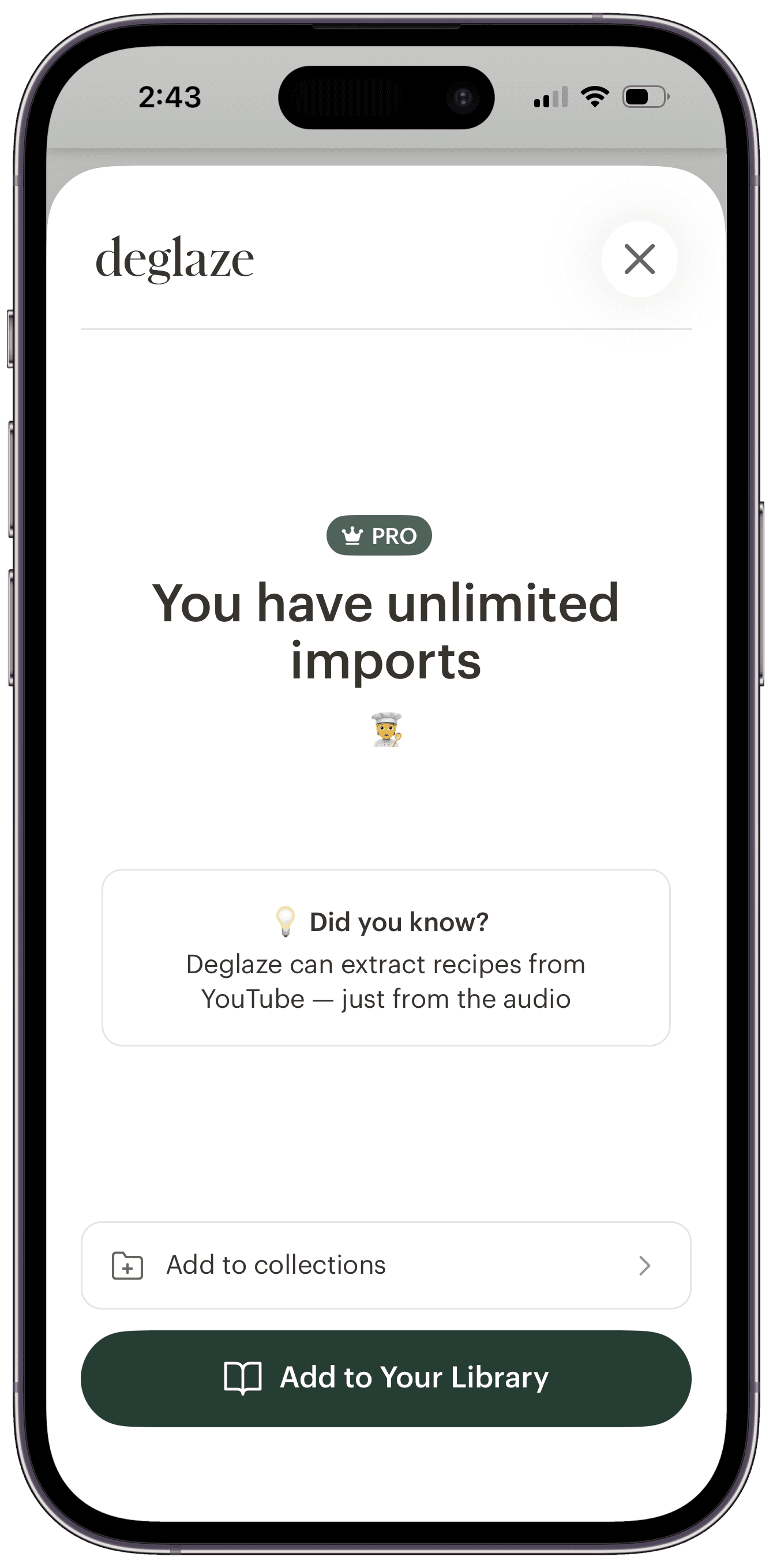
Share a recipe link into Deglaze from any app — Instagram, TikTok, Safari, a text from your mom — and you'll notice the share sheet has grown up. It's taller, roomier, and right above the save button there's a new row: Add to collections.
Saving works exactly like before: one tap on Add to Your Library and you're done. The collections row is there when you want it and ignorable when you don't. Your recipe always saves either way — organizing is a bonus step, never a hurdle.
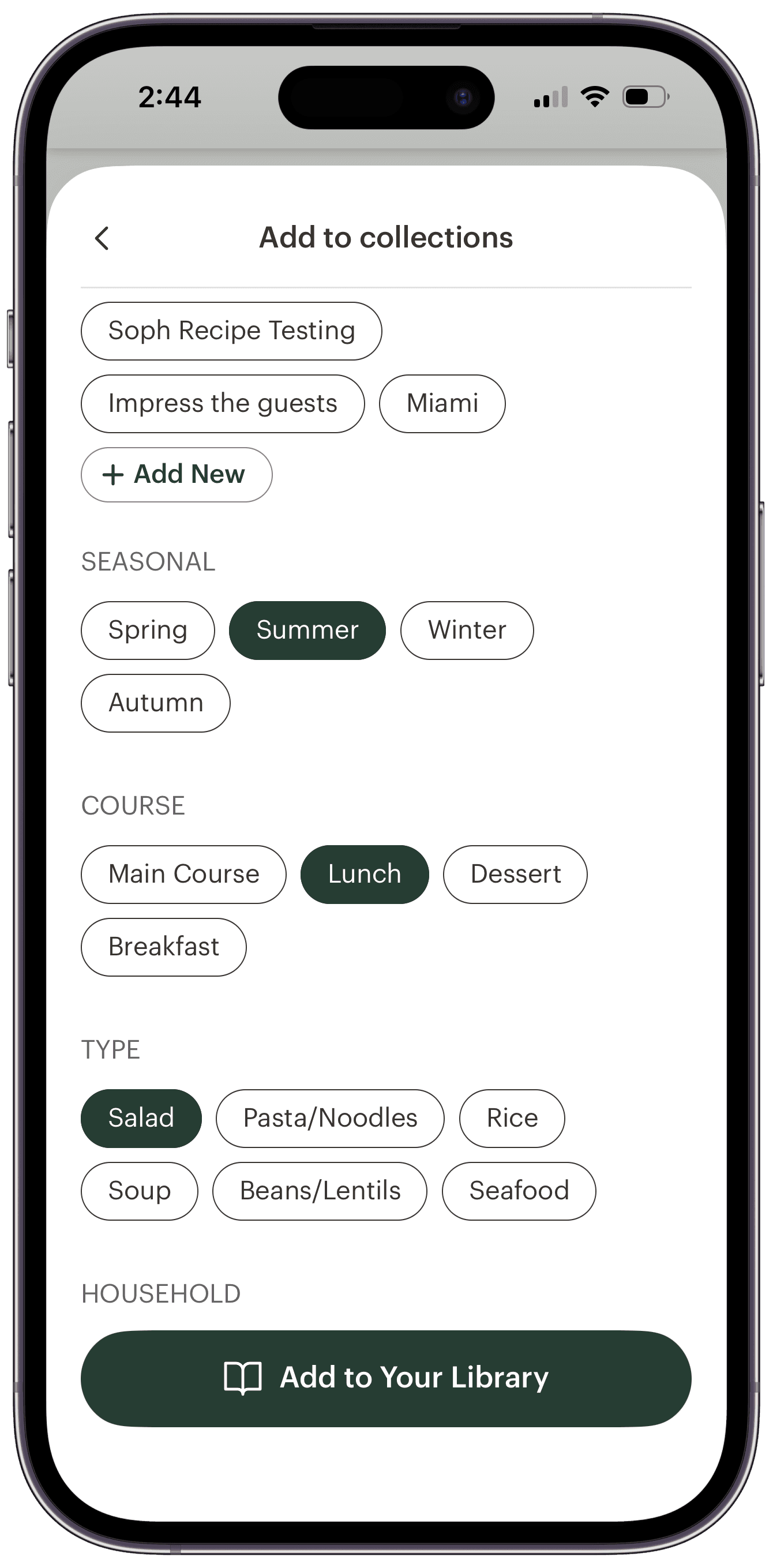
Tap the row and your collections are right there — no waiting, no app switch. Your own collections sit at the top, followed by the same Seasonal, Course, and Type categories that Deglaze's AI-powered organization auto-tags every recipe with. Select as many as you like; they're applied the moment your recipe saves. That pesto orzo can land in "Weeknight Dinners," "Summer," and "Pasta/Noodles" before you've even left Instagram.
Spotted a gap in your system? Add New jumps you into the app to create a fresh collection, and it'll be waiting in the picker the next time you share.
To Organize: round up the recipes you skipped
You're mid-scroll when you save a recipe from Instagram, or halfway through a grocery run when a friend texts you a link — and even with the collections row right there, the moment you save is often the moment you'd rather not stop to organize. So plenty of recipes still get saved in a hurry. That's what the second half of this release is for.
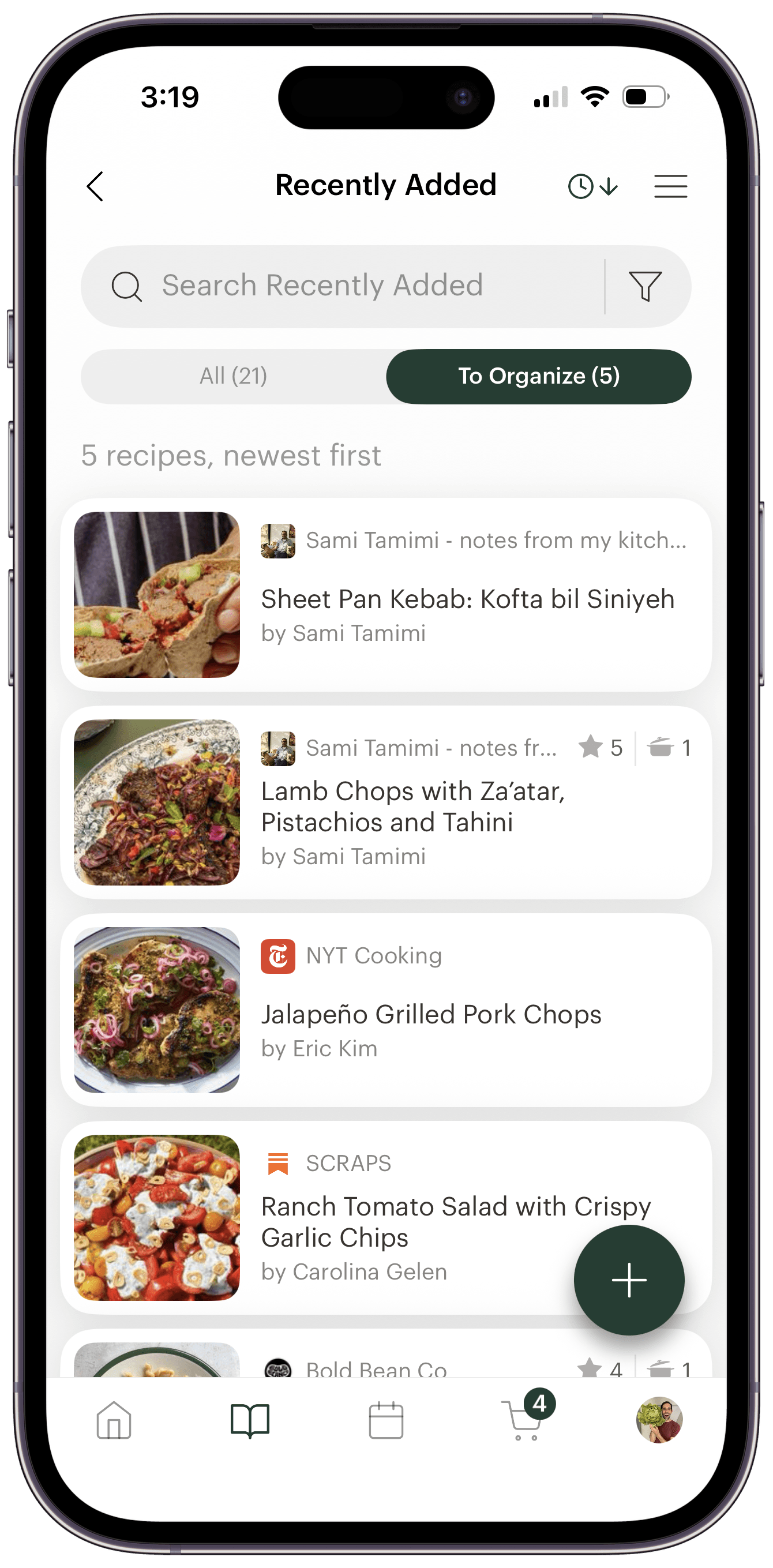
Recently Added — the built-in collection that gathers everything you've saved in the last 30 days — now has a toggle at the top: All, or To Organize. Flip it to To Organize and you're looking at just the recipes you haven't organized yet. No scrolling through things you've already sorted, no guessing which ones you missed.
Every recipe still gets Deglaze's automatic AI tags the moment it lands, so nothing sits untagged. To Organize tracks something stricter: whether you've organized it. A recipe leaves the queue only once you add it to a collection or edit its tags yourself — a distinction made for the super-organizers, who want "sorted" to mean they sorted it.
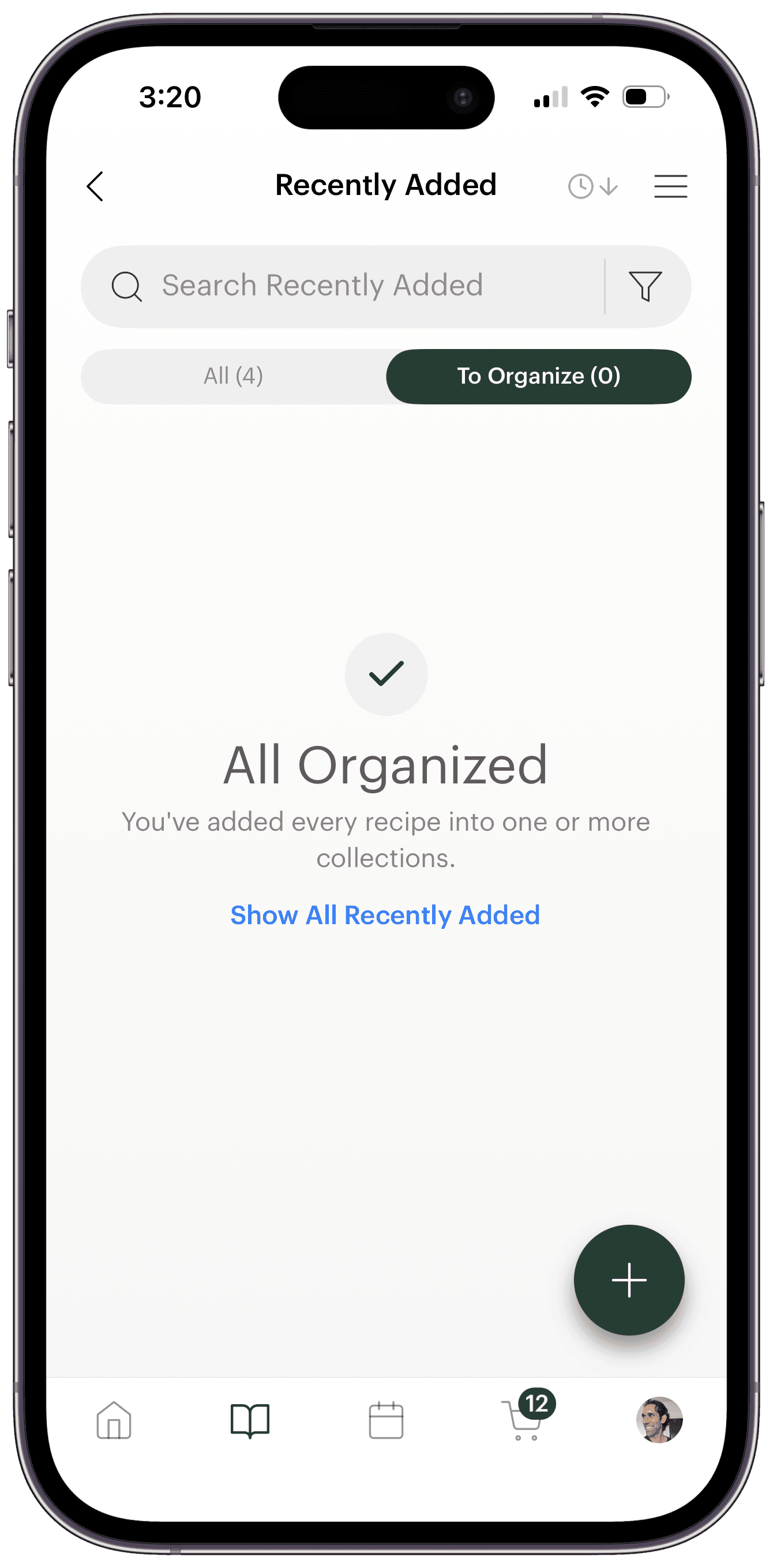
It turns cleanup into a two-minute ritual instead of a someday project. Sort your strays over Sunday coffee, and when the last one finds a home you get the little trophy screen every organizer secretly wants: All Organized — you've added every recipe into one or more collections.
That screen is the whole feature in miniature: a library where everything you've saved is somewhere you'll actually look for it. And if you tag recipes as you save them, you'll see it a lot.
Where to find Recently Added
Recently Added lives in your library's collections view — if your library is showing My Recipes, the switch is hiding in plain sight behind the title at the top. Here's how to switch your library to My Collections — it's a two-tap trick worth knowing, because it's also the front door to smart collections like On Meal Plan and On Grocery List.
In a hurry? The Your Recently Added section on the home screen jumps straight there too — just tap See All.
Available now, on the Free plan too
Your collections also lay out as a grid of collection cards on a tablet, so a big set of collections is a glance rather than a scroll.
Both features are live today for everyone — iPhone, iPad, and Android. Collections and organizing are part of the free plan; the free plan includes a limited number of recipe imports per week, while Deglaze Pro makes imports unlimited. Either way, every recipe you save can now show up already sorted.
Download Deglaze and try it on the next recipe that stops your scroll — save it, sort it, done.
Questions about collections or organizing your library? Reach out at help@deglaze.app — we're always happy to help.