
Just Say It: Add Groceries to Your Deglaze List with Siri
Angel Azcarraga · October 23, 2026
The moment you notice you're out of something is never a good moment to write it down. You're cracking the last egg into the pan, or pouring the last of the milk, and by the time your hands are free it's gone from your head.
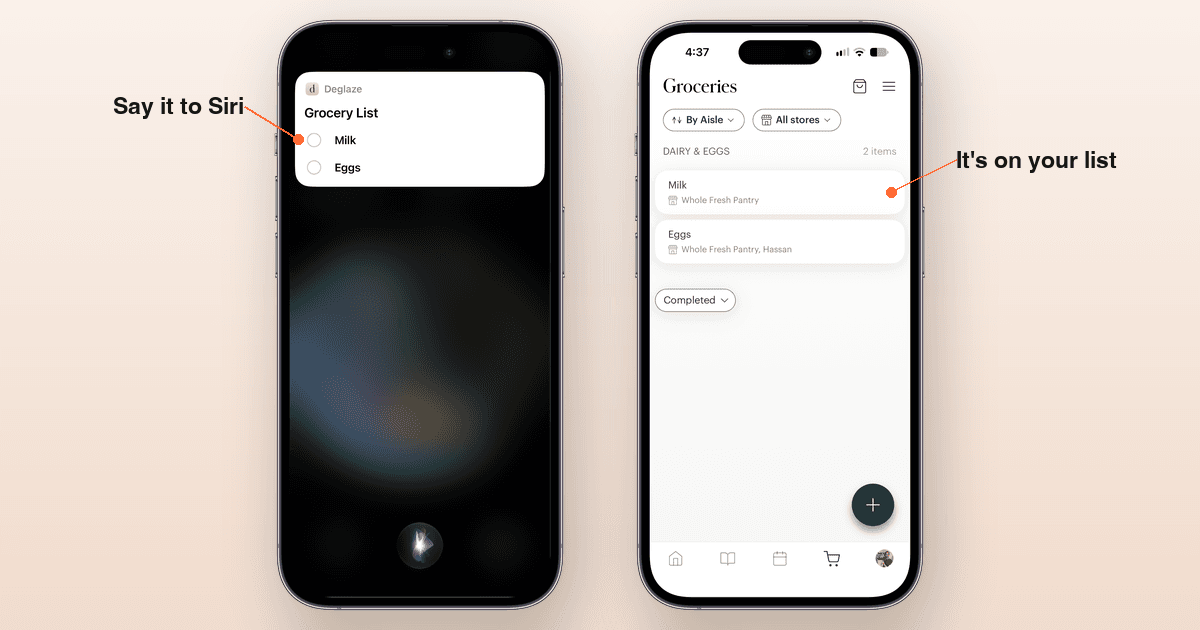
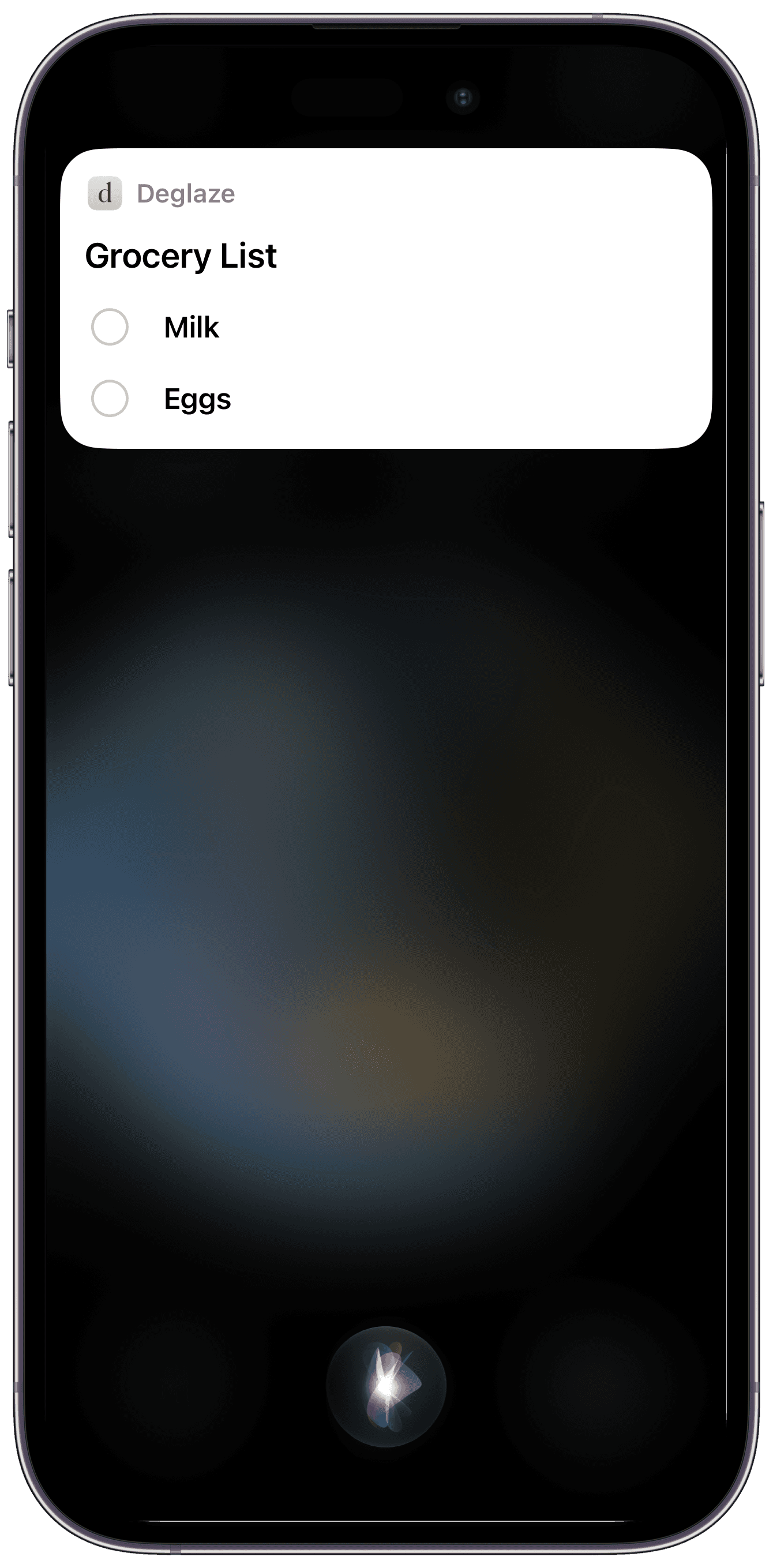
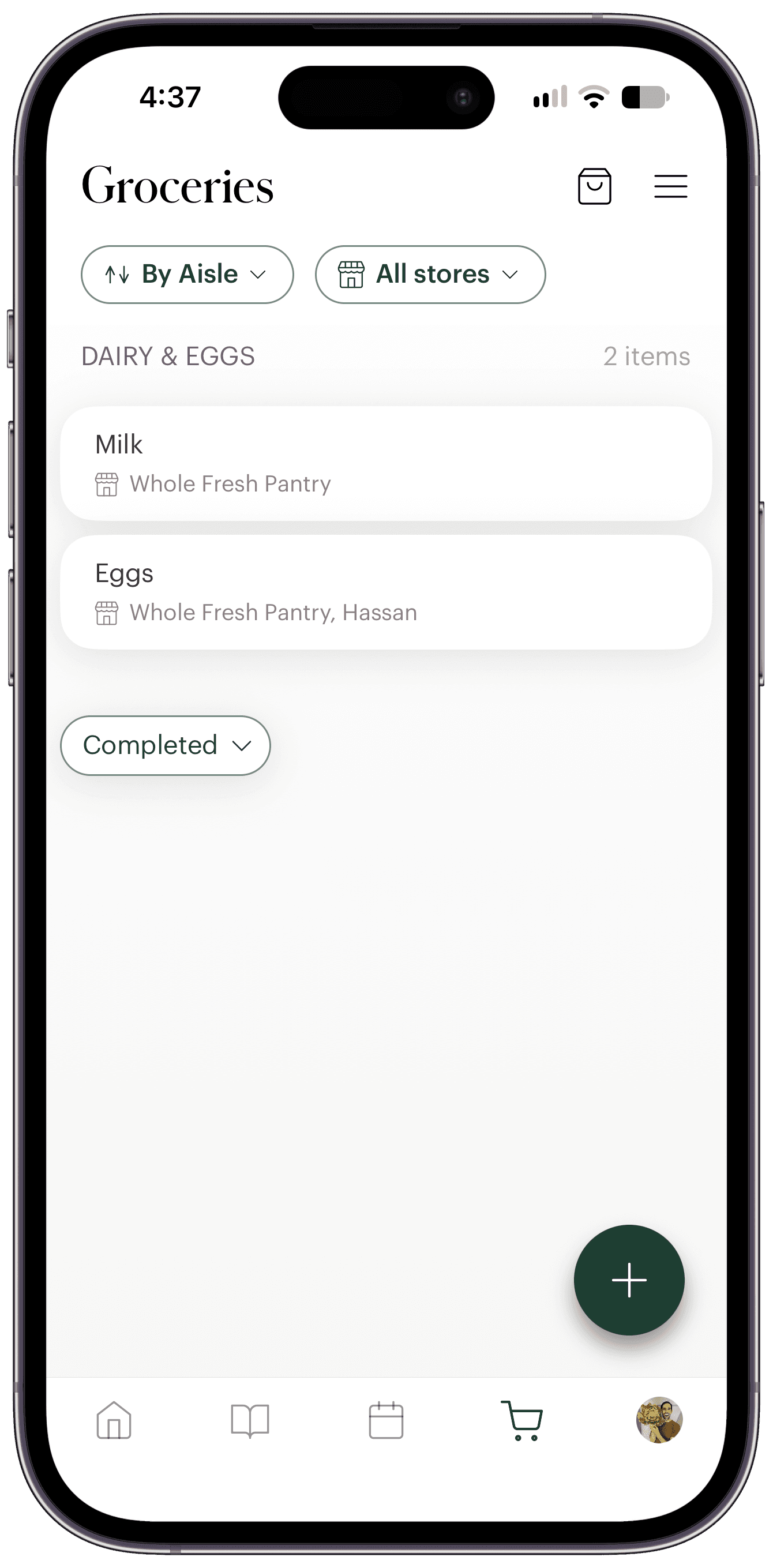
Now you can just say it: “Hey Siri, add milk and eggs to my grocery list in Deglaze.” Milk and eggs are on your grocery list, ready for your next trip.
One sentence, no setup
There's nothing to turn on first. The first time you ask, Siri checks that it's OK to access your Deglaze data. Say yes, and your items go straight onto the list. After that, it's just the sentence.
The sentence has a simple shape: your items, then “to my grocery list,” then “in Deglaze” at the end. “Shopping list” works just as well. Name everything you need at once: “Add mac and cheese and bananas to my grocery list in Deglaze.”
Those last two words do more work than they look. Siri decides which app gets a request before Deglaze hears any of it, and “in Deglaze” at the end is how it knows the request is ours. Leave it off, and your milk ends up in Reminders.
Rather not talk to your phone? Type the same sentence with Type to Siri.
Separate items, the way you mean them
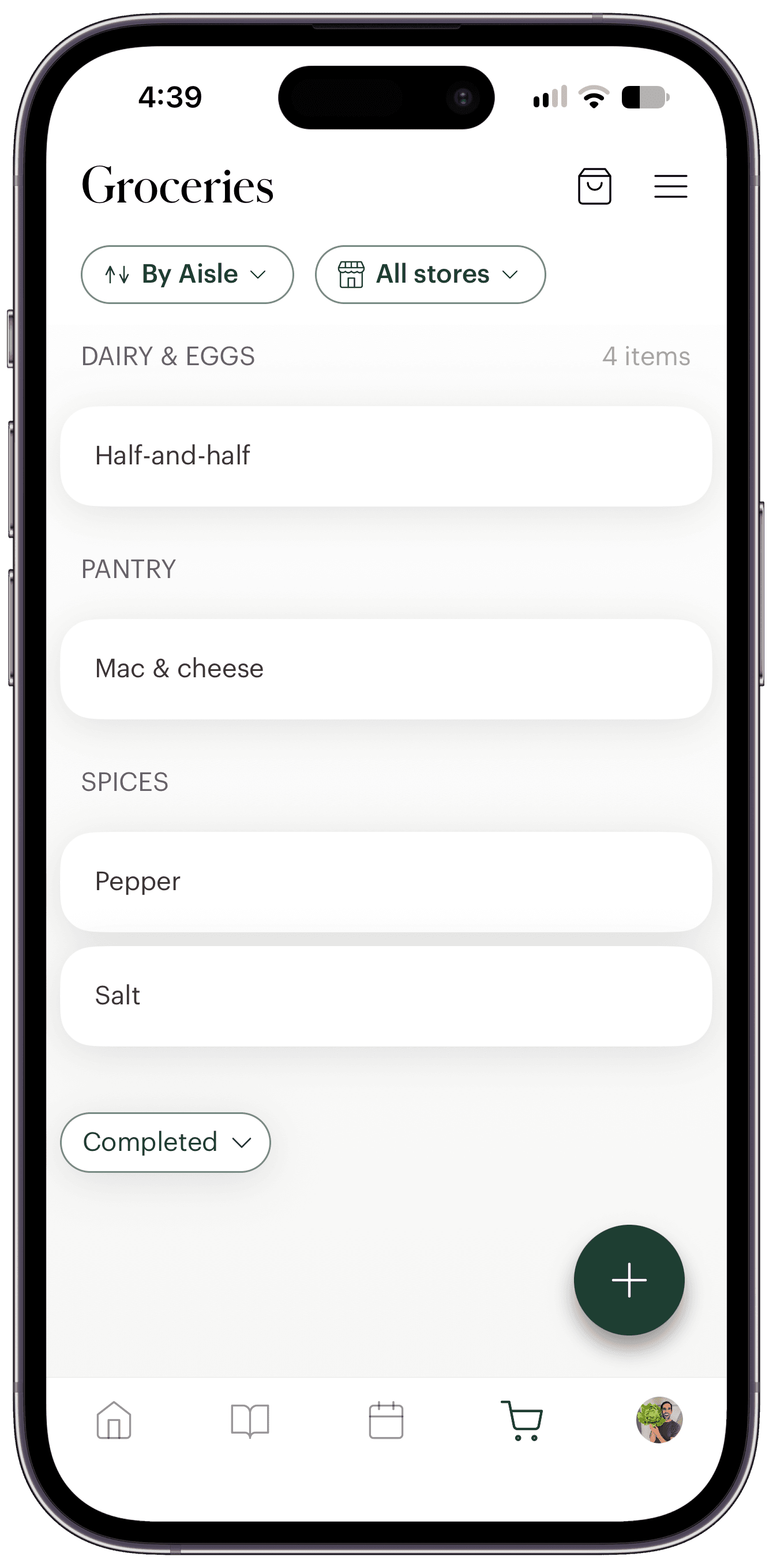
A grocery list said out loud is messier than one you type. “And” sometimes separates two things and sometimes belongs inside one. Deglaze sorts it out the way you mean it:
- “Mac and cheese, half and half and salt and pepper” becomes four items: Mac & cheese, Half-and-half, Salt, and Pepper.
- “Bread and butter” becomes Bread and Butter, but “bread and butter pickles” stays one item.
- “Two pounds of chicken thighs” lands as 2 lb chicken thighs, with the amount kept on its item.
- Mishearings get fixed. If Siri hears “time,” “muscles” or “serial,” you get Thyme, Mussels and Cereal.
- Filler words drop out, and so does any swearing at the stove.
On your shared grocery list
Items you add with Siri land on the same grocery list as everything you type, in the Groceries tab. If you're in a household, that's the list you share, so whoever notices the empty carton can add it, and whoever does the shopping will find it there.
Free for everyone
Adding groceries with Siri is free for everyone, on the free plan and on Deglaze Pro. It works with the standard Siri on iPhones running iOS 26 or iOS 27. You need the latest version of Deglaze, and you need to be signed in.
The sentence is in the app, too
You don't need to memorize anything from this post. After you update, Deglaze shows you the sentence in an Add Groceries with Siri alert, and again at the top of your grocery list until you close the tip or add something with Siri. It also lives on Deglaze's Siri screen whenever you want a reminder: tap Profile, then the gear icon at the top right, then Siri.
What to say to Siri, and what to avoid
Siri is particular about phrasing, and it's pickier on iOS 27 than on iOS 26. Put “Deglaze” somewhere else in the sentence, or tack an item on after it, and Siri may hand your request to Reminders or tell you it doesn't see an app for that.
So we put everything in one place: our guide to adding groceries with Siri has the phrasings that work, the ones to avoid, tips for long lists and quantities, and fixes for the usual hiccups. Two tips to start with:
- Keep each request under 10 items. Siri can cut a long list short before Deglaze hears it.
- Fix slips in the app. If you misspeak, don't correct yourself mid-sentence. Edit the item on your list afterward.
What Siri can't do yet
For now, Siri adds items. It can't check things off, remove them, or read your list back to you yet. For those, open Deglaze.
Where to find it
Update Deglaze on your iPhone and say the sentence. That's the whole setup.
Once it's on your list, Deglaze Pro's Shop by Store can split it up by where you buy each item, and when you'd rather skip the trip, you can send your list for grocery delivery.
Download Deglaze on your iPhone to try it. New users get a free trial of Deglaze Pro, for unlimited imports, meal planning, and smart grocery lists.