
The Best Apps to Save Recipes from Instagram and TikTok, Tested
In our November 2026 test of 10 recipe apps, the best app to save recipes from Instagram and TikTok was Deglaze, especially when the recipe isn't written in the caption. It was the only app that turned all 10 TikTok and Instagram videos into full recipes, with nothing made up, and the only one that saved the recipes from carousel posts. Osta, Flavorish and Honeydew saved a full recipe from 8 of the 10 videos, though Honeydew filled in amounts several of them never give, and ReciMe saved 7.
Many recipe apps read only a post's caption, and some listen to the audio. Deglaze reads all of it: the caption, the audio, the text on screen and the footage itself, so a Reel with no written recipe still becomes one. You share the post, tap once and stay in Instagram or TikTok while the recipe finishes.
Saving a recipe is only half of it. Deglaze is built for cooking what you save: a meal plan and a grocery list your household shares, a cooking mode with the amounts inside each step, and a connector that lets ChatGPT or Claude plan your week from your cooking history, around your household's allergies and diets.
Which app should you use to save recipes from Instagram and TikTok?
- Choose Deglaze if you save recipes to cook them. It saves the ones that are spoken, shown on screen, shown only in the footage or spread across a carousel while you keep scrolling, then gets them to the table: a meal plan and grocery list your household shares, a cooking mode with the amounts in each step, and a connector that lets ChatGPT or Claude plan your week from what you've cooked and loved, around your household's allergies and diets. It runs on iPhone, iPad and Android, and in any browser.
- Choose Osta if you want to share folders of recipes with friends outside your household, and see nutrition where it's available. It saved 8 of the 10 videos in our test.
- Choose Flavorish if you want estimated nutrition info with your recipes, and the ones you save are written in the caption or spoken. It also saved 8 of the 10.
- Choose Honeydew if you save recipes on a computer and want a Chrome extension, or want to add its ChatGPT or Claude connector straight from the assistant's directory. It saved 8 of the 10 videos, but with amounts several of them never give. In Deglaze you paste a link into the web app, and its connector is in ChatGPT's directory.
- Choose ReciMe if you want the app to suggest a week of meals for you, or to calculate a recipe's nutrition. It saved 7 of the 10. In Deglaze you plan the week yourself, or ask ChatGPT or Claude to plan it from your saved recipes and cooking history, around your household's allergies and diets.
- Choose Paprika 4 if you want a pantry, a cook mode you can step through by voice, or apps you install on a Mac or Windows PC. Deglaze runs in a browser there.
- Choose Recipe Keeper if you want an app installed on Windows itself, and the recipes you save are written in the caption.
- Skip Samsung Food and AnyList for social videos. Neither imported the videos we gave them. Samsung Food suits meal planning with health scores on a big recipe catalog, and AnyList shared lists for more than groceries.
- Stay with Instagram's Saved folder or TikTok's Favorites if you only rewatch a handful of posts. They're already in the app, but you can't search them by ingredient or shop from them.
Instagram and TikTok recipe apps at a glance
What each app saved in our November 2026 test, from 10 TikTok and Instagram videos and 3 carousel posts holding 15 recipes, and what each one is best for. Perfect scores are in green:
| App | Videos | Carousels | Best for | App Store |
|---|---|---|---|---|
| Deglaze | 10 of 10 | 15 of 15 | Cooking what you save | 4.9 |
| Osta | 8 of 10 | 0 of 15 | Sharing with friends | 4.8 |
| Flavorish | 8 of 10 | 0 of 15 | Nutrition info | 4.7 |
| Honeydew | 8 of 10¹ | 0 of 15 | A Chrome extension | 4.8 |
| ReciMe | 7 of 10 | 0 of 15 | Suggested meals | 4.8 |
| Recipe Keeper | 3 of 10 | 0 of 15 | A Windows app | 4.8 |
| Paprika 4 | 2 of 10 | 0 of 15 | A pantry | 4.9 |
| Samsung Food | 0 of 3 | 0 of 15 | Health scores | 4.8 |
| AnyList | 0 of 2 | 0 of 15 | Lists beyond groceries | 4.9 |
¹ Several with amounts the videos never give. For another video, it saved a different recipe.
The apps are in order of full recipes from the videos, then by whether they made anything up, so Deglaze is first on the results. We make Deglaze, and we picked posts where the recipe isn't written in the caption, because that's where apps differ; every app that could import the 2 caption videos saved them. Samsung Food and AnyList saved nothing from the first 2 videos, so under a rule we set before the test they were tried on only 3 and 2. On 5 recipe websites, 6 of these 9 apps saved all 5, Honeydew and Samsung Food 3, and Recipe Keeper 2. Ratings are from each app's US App Store listing on November 18, 2026.
The 9 apps we tested, one by one
1. Deglaze
Best for: people who save recipes from videos and carousels, cook at home most nights and plan the week's meals and groceries.
Deglaze is a recipe app for iPhone, iPad and Android, with a full web app that runs in any browser. It saved more recipes than any other app in our test:
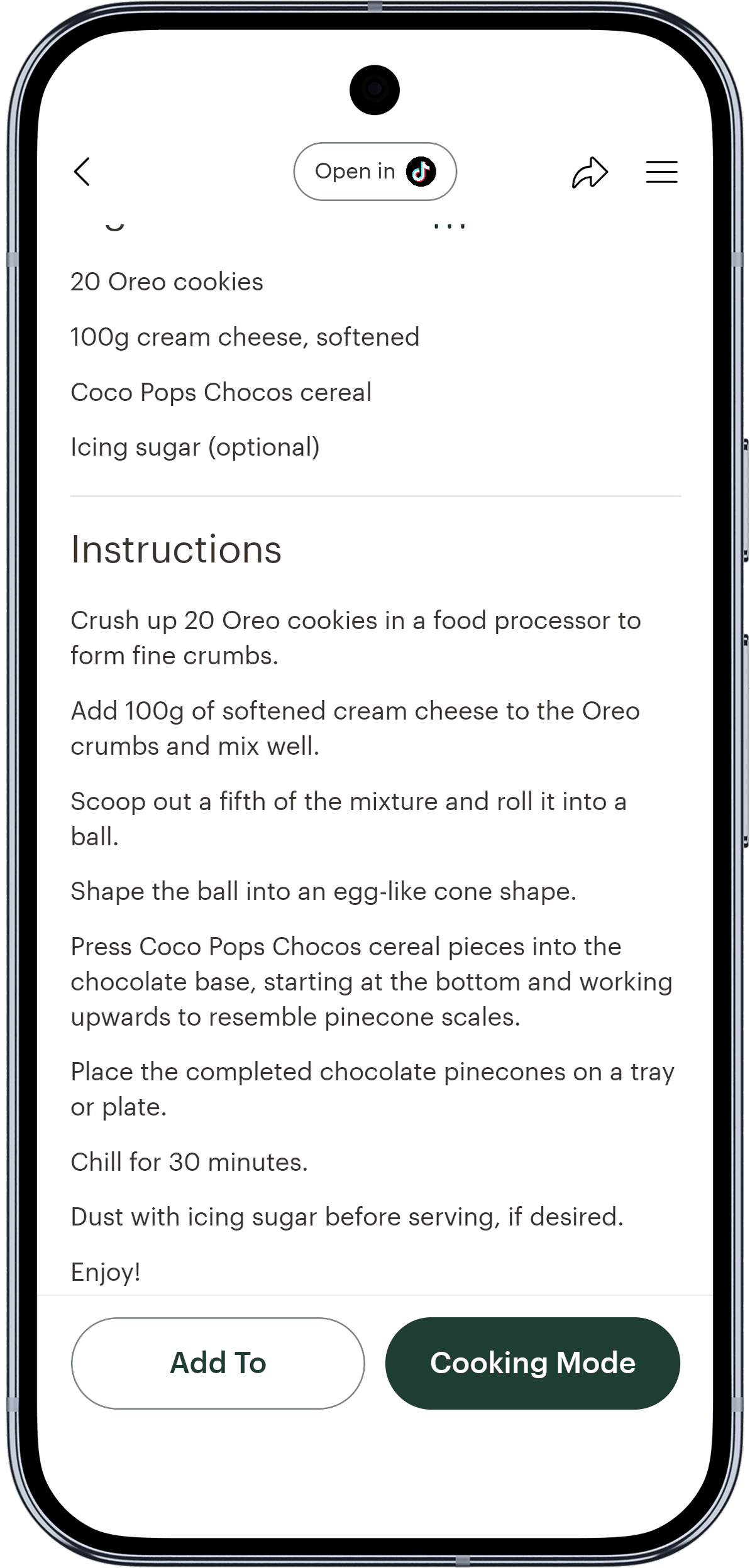
- It reads the whole video: the caption, the spoken audio, the text on screen and what happens in each scene, so a silent Reel with the amounts flashed on screen still becomes a recipe. Here's how Deglaze reads the recipe inside a video.
- Carousels, one recipe at a time. When a recipe runs across a carousel's slides, or one post holds several, Deglaze saves each recipe on its own.
- Share and keep scrolling. One tap and you're back in the app you were watching while the recipe finishes on our servers.
- Every source in one library: Instagram, TikTok, Facebook, YouTube and Pinterest, recipe websites, screenshots, and cookbook photos matched to the book they came from. Every recipe is tagged by course, type and diet as you save it, and you can add your own collections on top.
And it's built for cooking what you save:
- A meal plan the household shares. Put recipes on the days you'll cook them, add notes for leftovers or eating out, sync the plan to your calendar and send the whole week to the grocery list in one go.
- A grocery list that sorts itself: one list for the household, each person on their own account, sorted by aisle, with the same ingredient from different recipes grouped into one entry. Send it to Instacart in the US and Canada, or add to it with Siri on iPhone.
- A cooking mode that keeps up: the amounts inside each step, one-tap timers that run side by side, several recipes open at once, and the steps read aloud on iPhone. Recipes and the list open offline, and each recipe keeps a history of when you made it, with your notes and photos.
- Planning with ChatGPT or Claude. Deglaze's connector gives the assistant your cooking history, so it knows what you make often and what you haven't cooked in a while, and lets it search your library, plan your week, fill the grocery list and save new recipes from a link. It does more than the other recipe connectors we compared: it also gives the assistant your ratings and your household's allergies and diets, so plans lean on what you like and leave out what you can't eat.
In our test: a full recipe from all 10 videos, with nothing made up. It was the only app that got every step of the video whose method is shown only in the footage, and it saved all 15 carousel recipes. Deglaze has 4.9 stars from more than 5,000 App Store ratings worldwide, and its US reviews single out the design and how accurately recipes import.
Where it falls short: Deglaze doesn't show nutrition info yet, and its cooking mode doesn't take voice commands.
Get Deglaze for iPhone, iPad or Android.
2. Osta
Best for: people who want to share folders of recipes with friends outside their household.
Osta's App Store listing says you can "import recipes instantly from Instagram, TikTok, or a website," "save and organize your favorite recipes into shared folders" and "create shared grocery lists in seconds." It lists photo scanning and "nutrition shown when available." It runs on iPhone, iPad, Android and the web. Its pages don't say what it reads from a video.
In our test: a full recipe from 8 of the 10 videos. Osta was the other app that got the recipe shown only on screen, though without the mixing step the video only shows, and it followed a creator's recipe link in the caption. It came back empty on one spoken recipe, got no steps where the method is only in the footage, and saved no carousel recipe. It finishes imports in the background, but sharing opens the Osta app, so you leave Instagram or TikTok.
Where it falls short: carousels and methods shown only in the footage, and its listing mentions no meal planning.
3. Flavorish
Best for: people who want estimated nutrition info with the recipes they save.
Flavorish saves recipes "from Instagram, TikTok, Facebook, YouTube, websites, cookbooks, and handwritten notes," per its App Store listing, which also lists a weekly meal planner, a grocery list "sorted by supermarket aisle" and "estimated nutrition information." Its TikTok guide says it works best when the caption includes the full recipe "or the creator walks through the recipe in the audio," and that when a post doesn't, Flavorish "may use AI to generate a suggested recipe." It runs on iPhone, Android and the web.
In our test: a full recipe from 8 of the 10 videos, including all three spoken ones. For the video whose recipe is only on screen, it saved a different recipe, with chocolate hazelnut spread and pretzel sticks that appear nowhere in the video. Honeydew was the only other app that made up a recipe. It saved no carousel recipe, saying the recipe should be "included in the caption or spoken in the video."
Where it falls short: recipes shown on screen or spread across a carousel, and a generated recipe can look like the real one.
4. Honeydew
Best for: people who save recipes on a computer too, with a Chrome extension.
Honeydew's help center says it reads TikToks by "picking up on spoken directions, on-screen text, and captions." It gives estimated nutrition per serving, shares recipes, grocery lists and meal plans with a household, sorts groceries by store section and sends them to Instacart, and has a Chrome extension. It works with ChatGPT and Claude and runs on iPhone, iPad and Android.
In our test: a full recipe from 8 of the 10 videos, but Honeydew fills in what a video leaves out. For the video whose recipe is only on screen, it saved a different recipe, with dark chocolate chips, mini pretzels and shredded coconut. On the two videos whose captions point to a recipe in the bio, it put an amount on every ingredient, though the videos give none, and most don't match the creators' own recipes. It wrote its own version of the "comment for the recipe" Reel instead of following the creator's link, and from each carousel post it saved one recipe, none of them in full. It saved 3 of the 5 websites, and different recipes for the other 2. Like Osta, it finishes in the background, but sharing opens the Honeydew app.
Where it falls short: amounts and recipes it fills in itself, which look just like the creator's, and carousels.
5. ReciMe
Best for: people who want the app to suggest a week of meals.
ReciMe has more than 337,000 ratings on the US App Store, more than any other app here. It "can save recipes from Instagram, TikTok, Facebook, Pinterest and YouTube," reading the caption first and trying the audio if there's no caption. Its Magic Meal Plan builds a week from your budget, cooking time, diet and allergies, and it can calculate a recipe's nutrition. It runs on iPhone, iPad and Android, with a web app in beta.
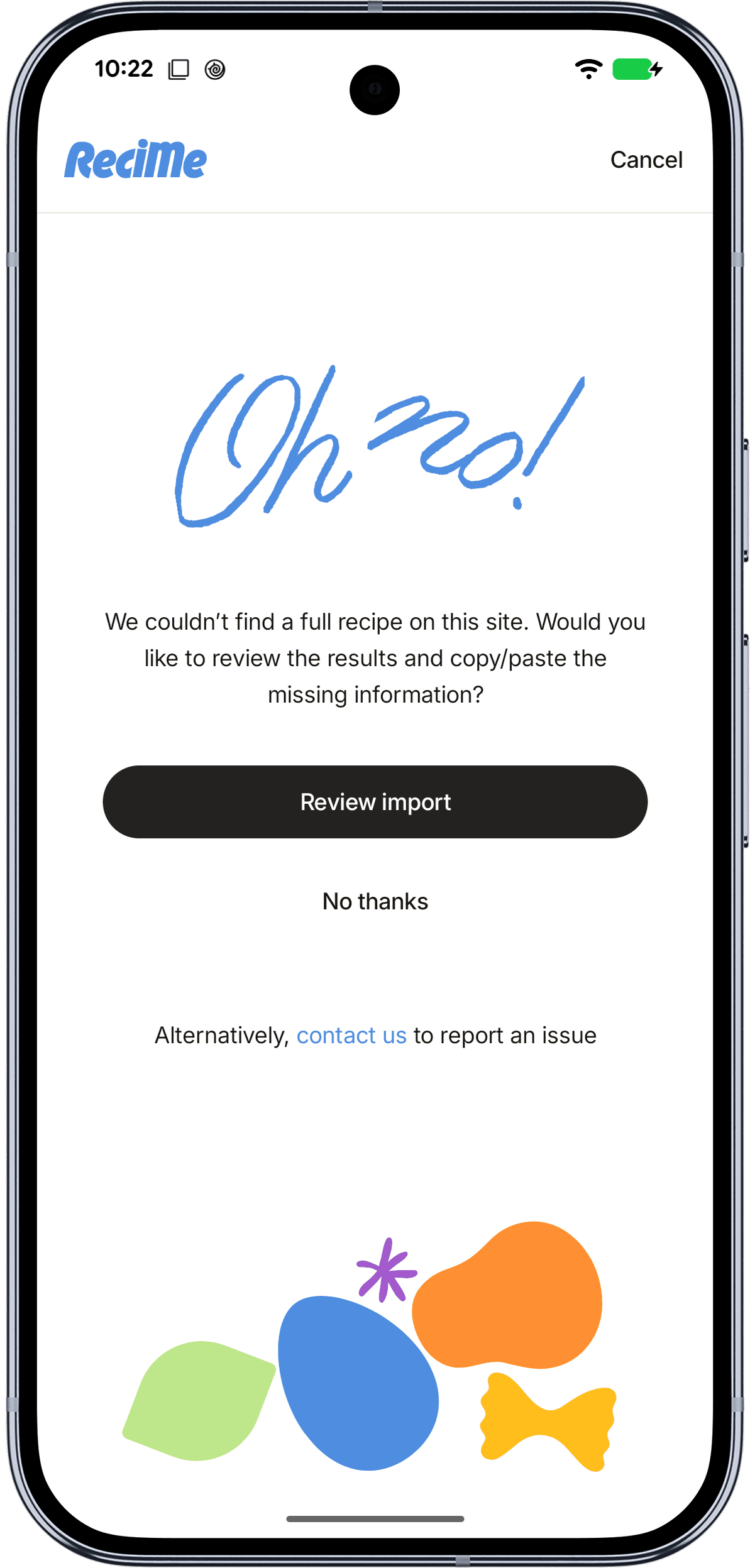
In our test: a full recipe from 7 of the 10 videos, including all three spoken ones. It found nothing in the video whose recipe is only on screen, no steps where the method is only in the footage, no amounts where the caption links to the creator's recipe, and none of the 15 carousel recipes. It keeps its import screen up until each recipe is ready.
Where it falls short: recipes shown only on screen, and its help center lists no separate household accounts: it suggests logging into the same account on every device. We compare the two apps in detail in Deglaze vs. ReciMe, and if you're leaving ReciMe, here are the ReciMe alternatives we'd consider.
6. Recipe Keeper
Best for: people who want an app installed on every device, Windows included.
Recipe Keeper runs on iPhone, iPad, Android, Windows and Mac, and scans recipes "from cookbooks, magazines and handwritten recipes." Its site says you can find recipes "on the web, Instagram and TikTok and add them straight to your collection."
In our test: it read only the caption, saving a full recipe from 3 of the 10 videos and no carousel recipe. It couldn't find the recipe on 3 of the 5 websites.
Where it falls short: anything spoken or shown in the video. Its site doesn't say what it reads from a post.
7. Paprika 4
Best for: people who want a pantry, a cook mode they can step through by voice, or apps installed on a Mac or Windows PC.
Paprika 4 came out on November 6, 2026, for iPhone, iPad, Mac, Android and Windows. Its guide says "Paprika reads the recipe from the text of the post, including its caption or description." Paprika already had a pantry, and version 4 adds pantry locations and a cook mode you can control by voice.
In our test: a full recipe from the 2 videos with the recipe in the caption, ingredients without steps from 1 more, and a title or nothing from the other 7. It saved all 5 websites and no carousel recipe.
Where it falls short: recipes that are spoken, shown on screen or spread across a carousel. If you're thinking of leaving Paprika, we compared Paprika alternatives after Paprika 4.
8 and 9. Samsung Food and AnyList
Best for: Samsung Food, meal planning with health scores on a big recipe catalog. AnyList, households that want shared lists for more than groceries.
Samsung Food, formerly Whisk, plans meals and builds shared grocery lists you can sort by aisle. Its App Store listing promises "detailed nutrition information and health scores on over 218,500 recipes," and its help center describes saving recipes from your browser or apps "like Pinterest or Facebook." AnyList calls itself "the best way to create and share a grocery shopping list," with recipes and a meal planning calendar alongside, and runs on iPhone, iPad, Android, Mac and the web.
In our test: neither imported a video. Samsung Food showed an error on all 3 we gave it, two TikToks and an Instagram Reel, and AnyList on both of its 2. Neither saved a carousel recipe. On the websites, AnyList saved all 5 and Samsung Food 3.
Where they fall short: social videos. Neither app's pages list imports from Instagram or TikTok videos.
How to save a recipe from an Instagram Reel or TikTok
Once Deglaze is on your iPhone, iPad or Android phone, it's three steps, the same for Reels, TikToks and carousel posts:
- Tap the share button on the post.
- Choose Deglaze. On Instagram, tap "Share To..." on iPhone or "Share" on Android first. On TikTok, tap "More" first.
- Tap "Add to Your Library" and go back to scrolling. The recipe is in your library about half a minute later.
For screenshots of every step, see how to save recipes from Instagram and how to save TikTok recipes to Deglaze.
How we chose and tested the apps
- Which apps. Ten apps people use to save recipes from social media. This page covers the nine with at least 1,000 ratings on the US App Store, and the full results, including the tenth app, are on their own page.
- The test. On November 16 to 18, 2026, on one Pixel 8a running Android 17. Each app got the same links: 10 TikTok and Instagram recipe videos, 3 carousel posts holding 15 recipes, and 5 recipe websites, except that apps that saved nothing from the first 2 videos stopped there. What each recipe really contains comes from the post itself and, when the caption links to it, the creator's own recipe, never from an app's output. The outcomes were defined before the first import.
- Why these posts. We make Deglaze and use it ourselves. We chose posts where the recipe isn't written in the caption, because that's what Deglaze is built for and where apps differ: in 8 of the 10 videos, the recipe is spoken, shown on screen or shown only in the footage.
- The other facts. Everything else about another app comes from its maker's own site, help center or App Store listing, linked where it's used. Where an app's pages don't mention a feature, we say "none listed," not "no."
Questions
What is the best app to save recipes from Instagram?
Deglaze, in our November 2026 test. It saved a full recipe from every Instagram and TikTok video we gave it, including videos where the recipe is only spoken or shown on screen, and it was the only app that saved the recipes from Instagram carousels. Even when the recipe is in the caption, Deglaze tags it by course, type and diet and puts it a tap away from your household's meal plan and grocery list.
What is the best app to save recipes from TikTok?
Deglaze, in our November 2026 test of 10 recipe apps. It turned all 10 TikTok and Instagram videos into full recipes, with nothing made up, and it was the only app that saved the recipes from the TikTok photo post in the test. Osta, Flavorish and Honeydew saved 8 of the 10 videos, and ReciMe 7.
Can an app save a recipe that's only in the video, not the caption?
Yes. Deglaze reads the spoken audio, the text on screen and the footage itself, so it saved a full recipe from every video in our November 2026 test, including one whose recipe appears only as on-screen text. Osta got that one too. ReciMe, Flavorish and Honeydew read spoken recipes, while Paprika 4 and Recipe Keeper read only the caption.
How do I turn TikTok and Instagram recipes into a meal plan and grocery list?
Save the posts to Deglaze, then put the recipes on your meal plan, or ask ChatGPT or Claude to plan the week from your saved recipes and cooking history. Tap the cart on the meal plan to add the week's meals to your grocery list in one go. Deglaze sorts the ingredients by aisle and groups the same ingredient from different recipes into one entry. The plan and the list are shared with your household, and in the US and Canada you can send the list to Instacart.
Do I have to leave Instagram or TikTok to save a recipe?
Not with Deglaze. You share the post, tap once and go back to what you were watching. The recipe takes about half a minute to finish on Deglaze's servers, but you aren't waiting for it. Osta and Honeydew also finish in the background, but sharing opens their app. The other apps that imported videos in our test kept their import screen up until the recipe was ready.
Why not just use Instagram's Saved folder or TikTok's Favorites?
A saved post isn't a recipe. You can't search Instagram's Saved folder or TikTok's Favorites by ingredient, scale a recipe or add it to a grocery list, and a post can disappear if the creator deletes it. A recipe app turns the post into a recipe you can cook from.
Which apps save TikTok and Instagram recipes on Android?
All nine apps on this page have Android apps; we ran the test on an Android phone. Deglaze saved the most: a full recipe from all 10 videos.
Sources and changes
Everything below was checked on November 18, 2026:
- Our test of 10 recipe apps on 10 TikTok and Instagram videos, run on November 16 to 18, 2026
- US App Store listings: Deglaze, Osta, Flavorish, ReciMe, Recipe Keeper, Paprika, Samsung Food, AnyList and Honeydew
- Deglaze's US App Store reviews: about 340 written reviews, read on November 17, 2026
- Osta's Google Play listing
- Flavorish's site and guide to saving TikTok recipes
- ReciMe's site and help articles on imports, Magic Meal Plan, nutrition, the web app and sharing an account
- Recipe Keeper's site
- Paprika's Paprika 4 announcement and user guide: what's new and saving from the browser
- Samsung Food's grocery list page and help article on saving recipes
- AnyList's site and apps page
- Honeydew's help articles on saving from TikTok, nutrition information, household sharing, grocery checkout and the Chrome extension, and its ChatGPT and Claude page
If something here is out of date, email help@deglaze.app and we'll correct it.
Changes: November 18, 2026: first published, then updated the same day with Honeydew, the tenth app in our test.
Related
- We tested 10 recipe apps on 10 TikTok and Instagram videos, with every result
- How Deglaze saves recipes from cooking videos
- Deglaze vs. ReciMe, compared feature by feature
- Paprika alternatives after Paprika 4