
Paprika Alternatives After Paprika 4: 8 Recipe Managers Compared
Paprika 4 came out on November 6, 2026. If you're still looking for a Paprika alternative, our pick is Deglaze, for people who cook at home most nights and shop for it every week. Deglaze works a recipe out of a TikTok, Instagram or Facebook video even when nothing is written in the caption, where Paprika 4 reads only the text of the post. In our test of 10 TikTok and Instagram recipe videos, Deglaze saved a full recipe from all 10 and Paprika 4 from 2. Deglaze can also match a cookbook photo to the book it came from, organizes every recipe as you save it, and sends your household's grocery list to Instacart. Its App Store reviews, which average 4.9 stars, single out the design and how accurately recipes import.
Deglaze runs on iPhone, iPad and Android, and in a browser on any computer. If you want an app installed on Windows itself, Recipe Keeper is the closest match to Paprika. Mela and Crouton keep your recipes in your own iCloud, AnyList is a list app first, and Plan to Eat tracks nutrition on your meal plan. Stay with Paprika 4 if you use its pantry or want to step through a recipe by voice command.
What changed with Paprika 4
From Paprika's announcement, site and user guide:
- It's a big update. The guide calls Paprika 4 "the biggest update we have ever released." It was released "for iOS, macOS, Android and Windows" on November 6, 2026.
- It adds a lot. A refreshed design, a cook mode you can control by voice, cookbooks, pantry locations, advanced search, a duplicate finder, imports from social media posts and cookbook pages, category suggestions, family accounts and nutrition labels.
- Your recipes carry over. "Paprika 4 replaces Paprika 3 and keeps all your data," and it "can still sync with Paprika 3 while you upgrade your other devices."
- Social media imports read the post, not the video. The guide says "Paprika reads the recipe from the text of the post, including its caption or description." When we tested it in November 2026, it saved a full recipe from the two videos with the recipe in the caption, ingredients without steps from one, and a title or nothing from the other seven.
- You can leave with your recipes. Paprika exports your collection as HTML or in its own Paprika Recipe Format, a .paprikarecipes file that several of the apps below can read.
What Paprika 4 still doesn't offer, going by its own pages: recipes read from the video itself, cookbook photos matched to their book, a library that organizes itself as you save, groceries you can order for delivery, a ChatGPT, Claude or Gemini connection, or an app that runs in any browser. For the two apps side by side, see Deglaze vs. Paprika 4, feature by feature.
Which Paprika alternative should you choose?
- Stay with Paprika 4 if you use its pantry, you want to move through a recipe with voice commands like "next step," or you want apps you install on a Mac or Windows PC.
- Choose Deglaze if you cook at home most nights, shop for it every week, and want an app that gets the details right: recipes worked out of TikTok, Instagram and Facebook videos, cookbook pages matched to their book, a library that organizes itself, and one grocery list for the household that you can send to Instacart. It runs on iPhone, iPad and Android, and in any browser on a Mac or PC.
- Choose Recipe Keeper if you want an app installed on Windows itself.
- Choose Mela or Crouton if you only use Apple devices and want your recipes kept in your own iCloud. Mela opens a Paprika export directly, and Crouton is the one for hands-free cooking.
- Choose AnyList if you want a list app first, for groceries and every other kind of list, with recipes alongside.
- Choose Plan to Eat if you want nutrition and macros tracked on your meal plan, or to edit recipes and the plan with no connection.
- Choose ReciMe if you want the app to suggest a week of meals for you.
- Choose Pestle if you cook from an iPhone and want hands-free guided cooking and a pantry.
Paprika alternatives at a glance
Ratings are from each app's US App Store listing on November 16, 2026. Paprika 4 is in the first row for reference. Deglaze is next because it's ours, and the rest are in order of rating. Every app that runs on iPhone also runs on iPad.
| App | App Store rating (US) | Runs on | From social videos | Imports from Paprika |
|---|---|---|---|---|
| Paprika 4 | 4.9 | iPhone, Android, Mac, Windows | Reads the post's text | n/a |
| Deglaze | 4.9 | iPhone, Android, web | Reads the video itself | Yes, done for you |
| AnyList | 4.9 | iPhone, Android, Mac, web | None listed | Yes |
| Plan to Eat | 4.8 | iPhone, Android, web | Reels: audio and text on screen | Yes (HTML export) |
| Recipe Keeper | 4.8 | iPhone, Android, Mac, Windows | Yes; doesn't say how | Yes (file not named) |
| Crouton | 4.8 | Apple only | None listed | None listed |
| ReciMe | 4.8 | iPhone, Android, web | Caption, then audio | No file import listed |
| Pestle | 4.7 | iPhone | Yes; doesn't say how | In 2024 release notes |
| Mela | 4.6 | iPhone, Mac | Reads the post's text | Yes |
The 8 Paprika alternatives, one by one
Deglaze
Best for: people who cook at home most nights and shop for it every week, and who care about quality and design.
Deglaze is a recipe app for iPhone, iPad and Android, with a full web app that runs in any browser on a Mac, a Windows PC or a Chromebook:
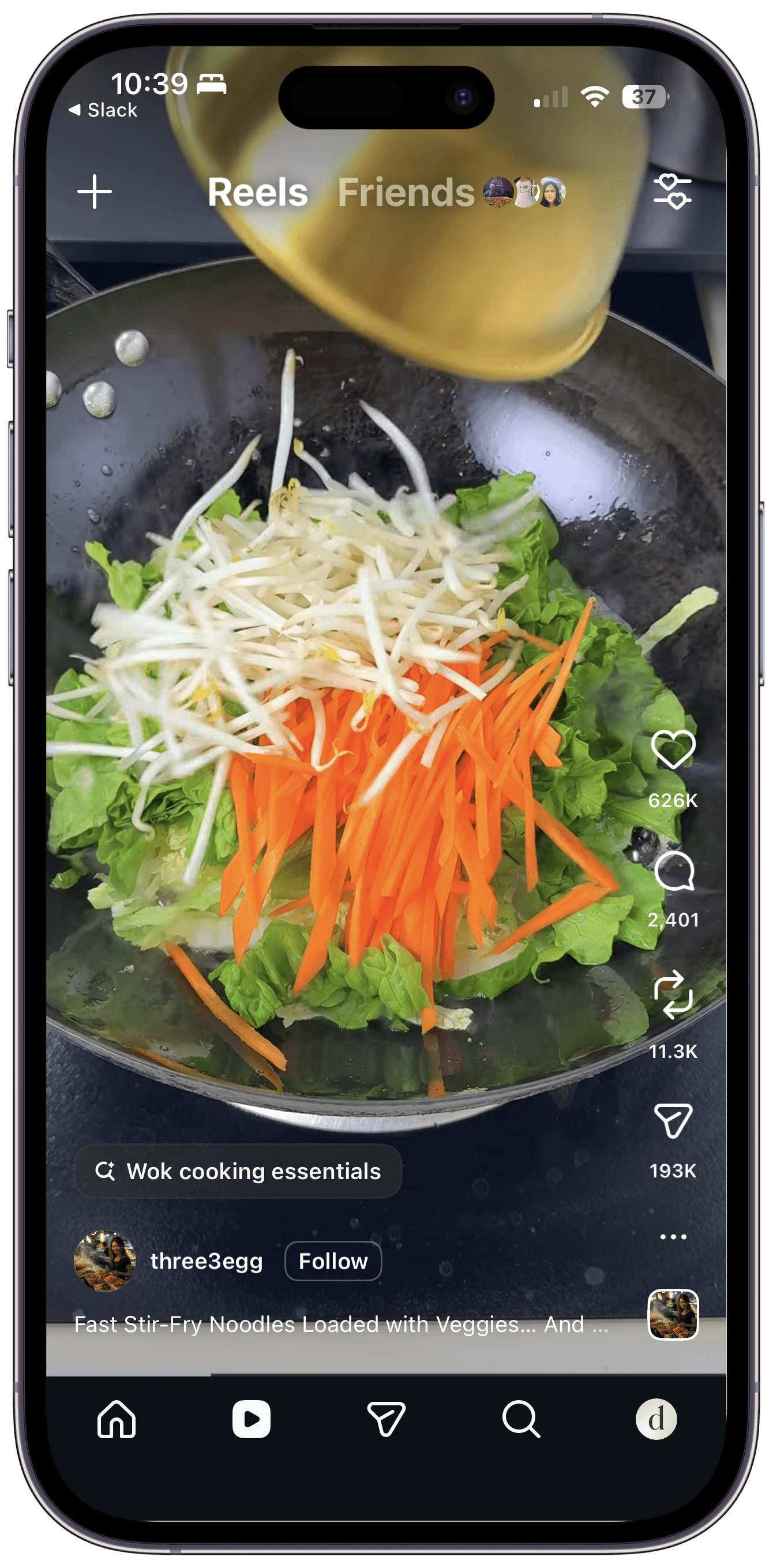
- Recipes from inside the video. Share a video from TikTok, Instagram, Facebook or YouTube. Deglaze reads the caption, the audio and the on-screen text, and looks at what's happening in each scene, so a video with no voiceover and no written recipe still becomes one. It's the only app on this page that says it looks at the scenes themselves, and when we tested nine recipe apps on 10 TikTok and Instagram videos it was the only one that saved a full recipe from every video. Here's how Deglaze saves recipes from cooking videos.
- Carousels, too. When an Instagram carousel or a TikTok photo post spreads a recipe across its slides, or holds several recipes, Deglaze saves each recipe on its own. In our November 2026 test it was the only app that saved any recipe from a carousel.
- Cookbooks, matched to the book. Photograph a cookbook recipe, even one that runs over several pages. Deglaze looks for the book it came from and adds its cover, so you can browse your recipes by cookbook. No other app on this page says it matches a photo to its book.
- Websites, saved in the background. Share a recipe page and keep browsing while it saves.
- Organized as you save. Every recipe is tagged by course, type and diet, and you can add your own collections on top.
- One grocery list for the household. It's sorted by aisle, and the same ingredient from different recipes is grouped into one entry. On iPhone you can add groceries with Siri. In the US and Canada you can send the list to Instacart: Deglaze adds up the amounts across your recipes and turns each ingredient into something you can buy.
- A shared meal plan. A meal plan calendar for the whole household.
- Made for cooking. Quantities appear inside each step, timers start with a tap, and you can keep several recipes open at once. On iPhone, Deglaze can read the steps aloud.
- AI assistants. Deglaze connects to ChatGPT, Claude, Gemini and Muse, so an assistant can plan your week from your saved recipes.
We're two people who love to cook, Angel and Jacob, and we've been building Deglaze since 2021. It has 4.9 stars from more than 5,000 App Store ratings worldwide. In its US App Store reviews, people most often mention how easy it is to use, how it organizes their recipes and how well it saves them from social media. Others single out the design, the speed and how accurately recipes import, and some who came from other recipe apps say its imports are more accurate.
Where it falls short: next to Paprika 4, Deglaze has no pantry and no nutrition info yet, and its cooking mode doesn't take voice commands. Offline, you can open your recipes and your grocery list, but saving a new recipe needs a connection.
AnyList
Best for: households that want a list app first, with shared lists for more than groceries.
AnyList describes itself as "the best way to create and share a grocery shopping list." Shared lists update for everyone, items are grouped into categories, and recipes and a meal planning calendar sit alongside. It imports a Paprika export, the .paprikarecipes file, through its website. It runs on iPhone, iPad, Android, Mac and the web.
Where it falls short: recipes come second to the list. AnyList's pages describe saving recipes from websites, but list no imports from social videos or cookbook photos, and both videos we shared with it in our test failed to import.
Plan to Eat
Best for: people who want nutrition and macros tracked on their meal plan.
"Plan Your Meals. We'll Handle the Grocery List," says Plan to Eat, whose site also lists nutrition and macro tracking. It imports Paprika's HTML export through its website, up to 3,000 recipes in one file. Since April 2026 it can read an Instagram Reel's spoken audio and on-screen text, per its release notes. In the app you can add and edit recipes and change your meal plan offline.
Where it falls short: it has no pantry, and explains why it removed one. Importing and exporting recipe files happens on the website only.
Recipe Keeper
Best for: Paprika users who want an app installed on every device, Windows included.
Recipe Keeper runs on iPhone, iPad, Android, Windows and Mac, and says "your recipes are always with you whether online or offline." It scans "from cookbooks, magazines and handwritten recipes," plans by week or month, and groups your shopping list by aisle. Its App Store listing says it can transfer your recipes from Paprika and import recipes from Instagram and TikTok.
Where it falls short: its site has no help pages, so it doesn't say which Paprika file it accepts or what it reads from a video. In our test it read only the caption, saving a full recipe from 3 of 10 videos, and it couldn't find the recipe on three of five recipe websites. Its pages mention no pantry and no web app.
Crouton
Best for: Apple-only cooks who want hands-free, step-by-step cooking.
Crouton is "available on iOS, iPadOS, macOS, visionOS & watchOS." Per its App Store listing, its step-by-step mode lets you move between steps with hand gestures instead of touching the screen, it scans recipes from a photo or a cookbook page, and it exports them as PDF, plain text or Markdown. Your recipes are stored in your iCloud account, and its press kit lists household sharing for recipes and the meal plan.
Where it falls short: there's no Android, Windows or web version, and its pages list no Paprika import and no imports from social videos.
ReciMe
Best for: people who want the app to suggest a week of meals.
ReciMe has more than 335,000 ratings on the US App Store, far more than any other app here. It "can save recipes from Instagram, TikTok, Facebook, Pinterest and YouTube," reading the caption first and trying the audio if there's no caption. In our test it saved a full recipe from 7 of 10 videos. Its Magic Meal Plan builds a weekly plan from your budget, cooking time, diet and allergies.
Where it falls short: its help center lists no separate household accounts. ReciMe says the easiest way to share is to log into the same account on every device, though you can invite people to collaborate on a single cookbook. Meal plans aren't on the web yet. ReciMe says you can upload recipes from Paprika but lists no importer for a Paprika file. We compare the two in detail in Deglaze vs. ReciMe.
Pestle
Best for: iPhone cooks who want hands-free guided cooking and a pantry.
Pestle saves recipes "from Instagram, TikTok, Facebook, YouTube and more," per its App Store listing, and turns them into step-by-step guided cooking you can control hands-free. It plans 14 days ahead, keeps a pantry, and shares recipes and meal plans across a household. Its 2024 release notes mention recipes imported from Paprika.
Where it falls short: it's for Apple devices only, it doesn't say what it reads from a video, and its current pages don't describe the Paprika import.
Mela
Best for: Apple-only cooks who want a simple, private recipe manager.
Mela is "a simple, elegant and modern recipe manager for iOS and macOS that syncs with iCloud." It opens Paprika exports directly: "Mela can import melarecipes and paprikarecipes files," says its help page, which also states that "Mela does not collect any data." Your meal plan lives in the Calendar app and your groceries in Reminders, and you can share a recipe library with other people. Per its App Store listing, it can pull recipes from video descriptions on YouTube, TikTok and Instagram.
Where it falls short: it's for iPhone, iPad and Mac only, and the same listing shows its last update in June 2025.
How to import your Paprika recipes into Deglaze
- Export from Paprika. Open Paprika's settings, choose Export Recipes, and pick the Paprika Recipe Format. You'll get a .paprikarecipes file. Paprika's user guide has the full steps.
- Install Deglaze on iPhone, iPad or Android. The same account works in a browser on your computer.
- Send us your export. In Deglaze, open Settings and choose Import your Paprika recipes, which tells you where to send the file. We run each import ourselves and check the result, so your library arrives organized and ready to cook. Recipes with a working link are saved fresh from the original page, and the rest come in as you exported them, photos included. Your notes, star ratings and categories come across too. If you've edited recipes in Paprika and want them kept word for word, say so when you send the file.
Keep Paprika installed until you've checked that everything came across.
How we compared
We read Paprika's announcement, user guide and App Store listing, and each alternative's own site, help pages and US App Store listing. We looked at what a Paprika user would weigh: which devices an app runs on, whether it can bring Paprika recipes along, and how it saves recipes from websites, videos and cookbooks.
We included apps with at least 1,000 App Store ratings worldwide, and left out open-source recipe managers that you host on your own server, which are a different kind of project. Paprika 4 is listed first for reference, then Deglaze because it's ours, then the rest by US App Store rating.
We make Deglaze and use it ourselves. The other apps are described as their makers document them, and every fact about them links to that company's own page or store listing. The exception is saving recipes from videos, which we tested ourselves in November 2026: we tested nine apps, five of them on this page, on 10 TikTok and Instagram videos. The full results and method are on their own page. Where an app's pages don't mention a feature, we say "none listed," not "no."
Questions
What is the best Paprika alternative?
Our pick for the best Paprika alternative is Deglaze, for people who cook at home most nights and shop for it every week. Among apps like Paprika, Deglaze works recipes out of cooking videos that Paprika 4's import doesn't read, matches cookbook photos to their book, organizes your library on its own, and runs on iPhone, Android and any web browser. If you want an app installed on Windows, the best Paprika alternative is Recipe Keeper. If you want your recipes kept in your own iCloud, it's Mela or Crouton, and for nutrition tracked on your meal plan, Plan to Eat.
Is Paprika 4 worth upgrading to?
Paprika 4 is worth upgrading to if you already rely on Paprika's pantry or its Mac and Windows apps. It keeps all your Paprika 3 data and adds a cook mode with voice control, family accounts and advanced search.
Can I export my recipes from Paprika?
Yes. Paprika exports your recipes as HTML or in the Paprika Recipe Format, a .paprikarecipes file, from Export Recipes in its settings.
Which apps can import my Paprika recipes?
Deglaze imports your Paprika recipes for you: the Import your Paprika recipes screen in its settings tells you where to send your .paprikarecipes file, and your recipes, notes, star ratings and categories come across. AnyList and Mela import the same file themselves, and Plan to Eat imports Paprika's HTML export. Recipe Keeper says it transfers recipes from Paprika without naming the file, and Pestle's 2024 release notes mention a Paprika import.
Does Paprika 4 save recipes from TikTok and Instagram?
Yes. Paprika 4 saves recipes from posts on TikTok, Instagram, Facebook and YouTube, and its user guide says it "reads the recipe from the text of the post, including its caption or description." A recipe that's only spoken or shown in the video needs an app that goes further. Of the apps compared here, Plan to Eat and ReciMe say they read the audio, and Deglaze is the only one that says it also looks at the scenes themselves. In our November 2026 test of 10 videos, Paprika 4 saved a full recipe from 2, ReciMe from 7 and Deglaze from all 10.
Is there a Paprika alternative for Windows and Android?
Yes, several. Deglaze, AnyList and Plan to Eat all have Android apps and run in a web browser on Windows. Deglaze's web app covers saving recipes, the grocery list, meal planning and cooking. Recipe Keeper is the only one of the eight Paprika alternatives here with an app you install on Windows. ReciMe has an Android app too, but its web app covers only your recipe library so far.
Does Paprika work with ChatGPT or Claude?
Paprika had no official ChatGPT, Claude or Gemini connector when we checked on November 14, 2026. Deglaze has one, along with two other apps: see which recipe apps connect to ChatGPT, Claude and Gemini.
Sources and changes
Everything below was checked on November 16, 2026:
- Paprika's Paprika 4 announcement, site and user guide: what's new, saving from the browser and exporting
- US App Store listings: Deglaze, Paprika, AnyList, Plan to Eat, Recipe Keeper, Crouton, ReciMe, Pestle and Mela
- AnyList's site, apps page, lists page, recipes page and Paprika import guide
- Plan to Eat's site, file import guide, release notes, offline guide, export guide and pantry article
- Recipe Keeper's site
- Crouton's site, press kit and privacy policy
- ReciMe's site and help articles on what ReciMe is, imports, Magic Meal Plan, sharing an account, the meal plan and the web app
- Pestle's site, pantry announcement and 1.7 release notes
- Mela's site and help page
- Deglaze's US App Store reviews: about 340 written reviews, read on November 17, 2026
- Our own test of nine recipe apps on 10 TikTok and Instagram videos, run on November 16 and 17, 2026
If something here is out of date, email help@deglaze.app and we'll correct it.
Changes: November 17, 2026: first published.